Agency website proofreading: the smart combined approach

For most agencies, the most reliable approach to website proofreading is to combine an automated site-wide scan with a targeted human proofreading pass on client-facing pages. Neither alone is enough: automated tools catch volume, humans catch nuance.
Here is a practical shortlist to match your situation:
- Websitespellchecker — best for site-wide automated scanning across your entire domain, with instant reports and scan history tracking
- White-glove human proofreader (freelance or boutique service) — best for high-stakes deliverables: proposal pages, case studies, service pages, and homepage copy
- Managed proofreading agency — best for scale, guaranteed SLAs, and ongoing retainer arrangements across multiple client sites
Key takeaways
The most effective approach to agency website proofreading combines an automated site-wide scan for coverage with a targeted human pass on high-priority pages.
| Point | Details |
|---|---|
| Scan the whole site first | Use Websitespellchecker to map every error across your domain before assigning human review time. |
| Prioritise human passes on high-risk pages | Reserve human proofreading for homepages, service pages, case studies, and any content with regulated language. |
| Ask ten vendor questions | Before signing a retainer, confirm SLA, sample edit policy, editor qualifications, revision terms, and cancellation conditions. |
| Know the scope boundary | Proofreading covers spelling, grammar, consistency, and link checks; it does not include rewrites, SEO strategy, or fact-checking. |
| Websitespellchecker fits the automated layer | Pay-per-page scanning with no subscription, instant PDF reports, and scan history tracking makes it the practical first step in any hybrid workflow. |
Table of Contents
- How does agency website proofreading compare across solution types?
- What do the leading options actually deliver?
- How do you choose the right solution for your agency?
- What does website proofreading actually cover?
- A practical workflow for combining automated scans with human proofreading
- Why the hybrid approach is the one worth defending
- Websitespellchecker: site-wide scanning for agencies
- Sources
How does agency website proofreading compare across solution types?
The practical differences between solution types matter more than the labels. An automated scanner and a managed human agency are not competing for the same job; they cover different failure modes. The table below maps the key dimensions agencies care about.
| Dimension | Automated site scanner | White-glove human proofreader | Managed proofreading agency |
|---|---|---|---|
| Best for | Full-site error coverage, pre-launch checks, ongoing monitoring | High-stakes pages needing consistent voice and style | Volume work, SLA guarantees, multi-client retainers |
| Service type | Automated AI scanning | Freelance editing, tracked changes | Managed editorial QA team |
| Pricing model | Pay-per-page / usage-based; free tier available | Hourly or fixed-price per project | Hourly tiers, retainer, or enterprise plan |
| Typical turnaround | Instant to minutes | 24–48 hours per project | One business day standard turnaround |
| Deliverables / CMS support | Detailed error report, PDF download, scan history; no direct CMS edits | Tracked changes in document or live-site extract; Loom walkthrough option | Tracked changes, annotated reports; PM tool integrations on enterprise plans |
| Trust signals | Scan history, report audit trail | Editor credentials, style-guide adherence, NDA options | Published SLAs, satisfaction guarantees, case studies |
| Coverage | Site-wide, all pages in one scan | Single pages or defined page sets | Scalable; volume tiers available |
The automated scanner wins on coverage and speed. A human proofreader wins on contextual judgement: tone consistency, brand voice, and catching errors that require understanding the page’s intent. A managed agency adds process reliability and contractual guarantees.
Recommended use cases by agency scenario:
- Pre-launch website build: run a full automated scan first, then assign a human pass to the five to ten highest-traffic pages
- Ongoing client site maintenance: schedule recurring automated scans and reserve human passes for content updates on key conversion pages
- High-stakes proposals or case study pages: go straight to a white-glove human proofreader with your client style guide
- Volume agency with multiple client sites: a managed proofreading agency with a retainer and SLA is the most cost-predictable route
- Post-redesign or CMS migration: automated scan immediately after go-live to catch broken formatting, then human review of any pages flagged as high-priority
What do the leading options actually deliver?
Websitespellchecker
Websitespellchecker’s site-wide scanning app runs AI-powered error detection across your entire domain in one go. It catches spelling mistakes, grammatical errors, awkward phrasing, missing words, inconsistent usage, and formatting problems. Reports are detailed, downloadable as PDFs, and the platform tracks scan history so you can see how error counts change over time. Configuration options let you scope scans to specific sections or languages. There is a free tier, with paid credits for larger or more frequent scans. No CMS access is required; the tool works from the live site.
- Deliverables: detailed error report, PDF download, scan history, multi-language support
- Pricing: usage-based pay-per-page; free tier available; no monthly subscription lock-in
- Best for: site-wide coverage, pre-launch checks, recurring automated monitoring
Cambridge Proofreading
Cambridge Proofreading positions itself as a professional proofreading and editing service with qualified editors holding relevant academic credentials. The service covers website copy alongside academic and business documents. Editor qualifications and a structured review process are the primary trust signals. Turnaround and pricing are available on request; sample edits are offered to prospective clients.
- Deliverables: tracked changes, corrected document, editor notes
- Trust signals: qualified editors, structured QA process, sample edits available
- Best for: agencies that need credentialled editors and a formal quality process
Proofed (proofed.co.uk)
Proofed is a managed proofreading platform with a network of specialist editors. For agency website work, it handles website copy, marketing materials, and brand documents. Editors work to your style guide, and the platform offers a free sample edit so you can assess quality before committing. Turnaround options range from standard to rush, and pricing is transparent on the site.
- Deliverables: tracked changes, style-guide adherence, free sample edit
- Trust signals: Trustpilot reviews, editor specialisms listed, sample edit before purchase
- Best for: agencies wanting a managed platform with transparent pricing and a trial option
Tate & Clayburn
Tate & Clayburn is a UK-based editorial agency offering proofreading and copy editing for business and marketing content, including website copy. The service is positioned for professional and corporate clients. NDA arrangements and confidentiality are available on request.
- Deliverables: proofread and edited copy, tracked changes
- Trust signals: UK-based team, professional editorial background
- Best for: agencies that prefer working with a UK editorial agency and need confidentiality assurances
What to ask any provider about CMS and live-site edits:
Do you edit directly in our CMS, or do you work from exported documents? How do you handle live-site extracts, and what format do you return edits in? Do you offer NDA or confidentiality agreements as standard?
Proofread.co’s agency service is a useful reference point for what a white-glove agency proofreading partner typically includes: style-guide adherence, link and contact verification, cross-reference checks, and both hourly and retainer pricing tiers.
Pro Tip: Ask every prospective provider for a paid sample edit on one of your actual pages before signing any retainer. A sample edit on generic copy tells you almost nothing; a sample on your real content tells you everything.
How do you choose the right solution for your agency?
Selection criteria
The right choice depends on six practical factors: quality consistency, turnaround speed, edit format (tracked changes vs annotated report vs CMS patch), CMS access requirements, confidentiality needs, and cost predictability. Style-guide adherence and scalability matter more for agencies managing multiple client sites than for a single-site owner.
Evaluating proofreading services alongside SLA guarantees and case studies showing cost savings versus in-house hiring is a sensible starting point. Published SLAs and sample edits reduce perceived risk significantly.
Ten questions to ask a prospective proofreader or agency
- What is your guaranteed turnaround time for a project of our typical scope?
- Can you provide a sample edit on a page from our actual website before we commit?
- What are your editors’ qualifications, and do they have experience with marketing or agency content?
- How many rounds of revisions are included, and what is your policy if we are not satisfied?
- What content types do you cover: homepage, service pages, blog posts, legal disclaimers?
- How do you handle legally sensitive claims or regulated language in marketing copy?
- What is your billing model: hourly, per-word, per-page, or retainer?
- Do you offer retainer arrangements, and what are the minimum commitment terms?
- Can you integrate with our project management tools (Asana, Monday, Notion, or similar)?
- What are your cancellation terms, and how much notice is required to end a retainer?
Red flags to watch for
- No sample edit offered, even for a fee
- No published or stated SLA for turnaround
- Slow or vague responses to questions about editor qualifications
- Inability to work to a client style guide
- No NDA or confidentiality option for sensitive client content
- Pricing that changes significantly after the initial quote
Pro Tip: Run a short paid trial on a defined set of pages before committing to a retainer. A boutique service like The Proper Copy Studio offers a fixed-price package for the service that includes a strategy call, one day of edits, and a Loom walkthrough. That model is a practical template for how to trial any new supplier.
What does website proofreading actually cover?
Proofreading and copy editing are not the same thing, and the distinction matters when you are scoping a project or briefing a supplier.
Proofreading typically includes:
- Spelling, punctuation, and grammar corrections
- Consistency checks (capitalisation, hyphenation, number formatting, terminology)
- Heading hierarchy and structure review
- Broken or misformatted link identification
- Formatting checks (spacing, alignment, list consistency)
- Cross-reference checks (e.g. a phone number mentioned in two places matches)
- Basic brand voice consistency (flagging obvious tone departures)
Proofreading typically excludes:
- Major rewrites or structural reorganisation
- SEO strategy or keyword optimisation
- Fact-checking beyond obvious internal inconsistencies
- Content strategy or messaging repositioning
A practical example: a proofreader will correct “We helps businesses grow” to “We help businesses grow” and flag that your contact number appears differently on the homepage and the footer. A copy editor will also restructure a weak service-page paragraph so it leads with the benefit rather than the feature. A copywriter will rewrite the page from scratch. Know which level you need before you brief anyone.
Deliverable formats vary by provider. Most human proofreaders return tracked changes in a Word document or Google Doc. Some work from live-site extracts and return annotated PDFs. A freelance editor like Tara Foss, for example, delivers tracked changes and a clean final version without rewriting content from scratch, working from documents or live-site copy as the client prefers.
Automated tools like Websitespellchecker return a structured error report rather than tracked changes. That report is the input for your human pass, not a replacement for it. As Websitespellchecker’s own guidance notes, some errors are better caught by people: formatting context, broken links, and errors that only make sense when you understand the page’s purpose.
A practical workflow for combining automated scans with human proofreading
This is the workflow that gives agencies the best coverage without paying for human time on every page.
Step-by-step process
- Run a full site scan using Websitespellchecker. This gives you a complete error map across every page, instantly. Export the PDF report for your records and to share with your team.
- Triage by priority. Sort flagged pages into three buckets: high-priority (homepage, service pages, case studies, contact page), medium-priority (blog posts, resource pages), and low-priority (legal boilerplate, archive content).
- Assign human passes to high-priority pages. Brief your chosen proofreader or agency with the scan report, your client style guide, and any specific instructions about tone or regulated language.
- Implement edits. Apply tracked changes from the human pass and any automated fixes from the scan report. For CMS-based sites, agree with your proofreader whether they will work in the CMS directly or return a document for your team to apply.
- Run a verification rescan. After edits are live, run a second scan to confirm the flagged errors are resolved and no new issues have been introduced during implementation.
Typical timeline
- Full site scan: minutes to an hour depending on site size
- Triage and briefing: 1–2 hours internally
- Human pass on high-priority pages: 24–48 hours for most projects; rush options available from most providers
- Edit implementation: depends on CMS and team capacity, typically same day to 48 hours
- Verification rescan: minutes
Pro Tip: Always run a scan before a major launch and again within 48 hours after any significant content update. Websitespellchecker’s scan history feature lets you track error trends over time, so you can see whether your content processes are improving or introducing new issues. Combine that history with your human pass records for a complete audit trail.
For agencies managing multiple client sites, automating recurring checks removes the manual overhead of remembering to scan and makes it easy to spot when a client’s site has drifted from its last clean state.
Why the hybrid approach is the one worth defending
The debate about whether to use automated tools or human proofreaders for agency website work is mostly a false choice. Agencies that pick one and ignore the other are either paying for human time on pages that a scanner would have cleared in seconds, or trusting a tool to catch errors that require a human to understand the sentence’s intent.
The real risk is not the occasional typo. It is the cumulative effect of small errors on a client-facing site: a mismatched phone number, a service description that contradicts the homepage, a heading that reads as a fragment because a word was dropped during a CMS migration. These are the errors that chip away at trust with prospective clients, and they are exactly the kind that fall between the cracks of both manual checking and automated scanning when used in isolation.
The combined workflow described above is not complicated. It costs less than a full human review of every page, and it is more thorough than either approach alone. The scan handles coverage; the human pass handles judgement. That division of labour is what makes it worth defending as a standard agency process rather than a one-off exercise.
If you are not yet running regular site scans, the practical next step is to run one now and see what the report surfaces. Most agencies are surprised by what turns up on pages they thought were clean.
Websitespellchecker: site-wide scanning for agencies

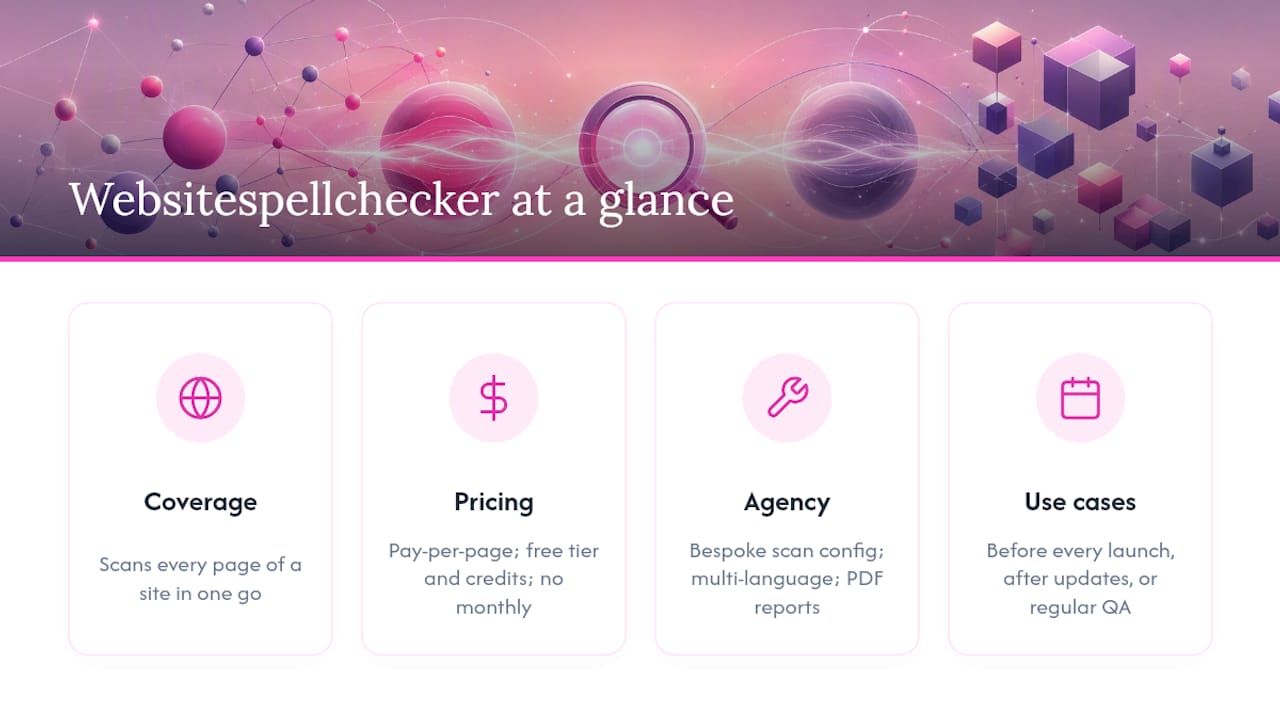
Websitespellchecker is purpose-built for the kind of coverage that human proofreaders cannot economically provide: scanning every page of a site in one go, flagging spelling mistakes, grammar errors, inconsistent usage, and formatting problems across your entire domain. For marketing professionals and agency teams, it replaces the manual page-by-page trawl with an instant, structured report you can act on immediately or share with a client.
There is no monthly subscription. You pay per page scanned, with a free tier to get started and credits for larger or more frequent scans. That makes it straightforward to run a scan before every launch, after every content update, or as part of a regular QA cycle without committing to a fixed monthly cost.
The agency and developer version supports bespoke scan configuration, multi-language detection, and downloadable PDF reports. Scan history lets you track quality over time across all your client sites.
Run your first scan at Websitespellchecker and see what your site is actually hiding.