Automate client website checks: a practical guide

Automated website quality assurance (QA) is defined as the use of scheduled, software-driven scans to monitor site performance, content accuracy, and technical health without manual intervention. For business owners and marketing professionals managing multiple client sites, the need to automate client website checks is not optional. Manual auditing does not scale. Manual checks become unsustainable beyond 10–15 client sites due to time and risk factors, while automation handles 50 or more sites with no additional staff. The metrics that matter most include uptime, SSL certificate validity, page speed, and content quality. Miss any one of them, and you risk damaging a client’s reputation before you even notice the problem.
What tools do you need to automate client website checks?
Automated website QA relies on four distinct tool categories, and most agencies need at least three of them working together.
- Uptime monitors check whether a site is live and responding. Industry standards require uptime monitoring at 60-second intervals, with SSL expiry alerts sent at least 14–30 days before a certificate lapses.
- SEO audit platforms analyse technical and on-page factors at scale. Automated SEO audit platforms analyse over 200 technical and on-page factors per page and complete initial audits for sites up to 500 pages within 30 minutes.
- Visual regression tools compare screenshots of pages before and after changes. Visual diff monitoring detects CSS breaks that are invisible to uptime and status code tests. A site can be technically “up” while its navigation is completely broken.
- Content quality checkers scan for spelling errors, grammar mistakes, and inconsistent terminology. These are the tools most agencies overlook, yet content errors chip away at client trust faster than a slow page load.
The key requirements for any tool you choose are multi-domain support, configurable alert routing, and scheduling flexibility. Platforms that combine several of these checks reduce the tool-switching that wastes time across a large client portfolio. The table below outlines the feature categories to evaluate when selecting tools.
| Feature category | What to look for |
|---|---|
| Multi-domain management | Single dashboard for all client sites |
| Scheduling | Custom intervals per check type |
| Alert routing | Per-client or per-severity notification rules |
| Reporting | White-label, downloadable proofreading reports |
| Content scanning | Automated grammar and spelling audits |

How do you set up automated monitoring for multiple client sites?
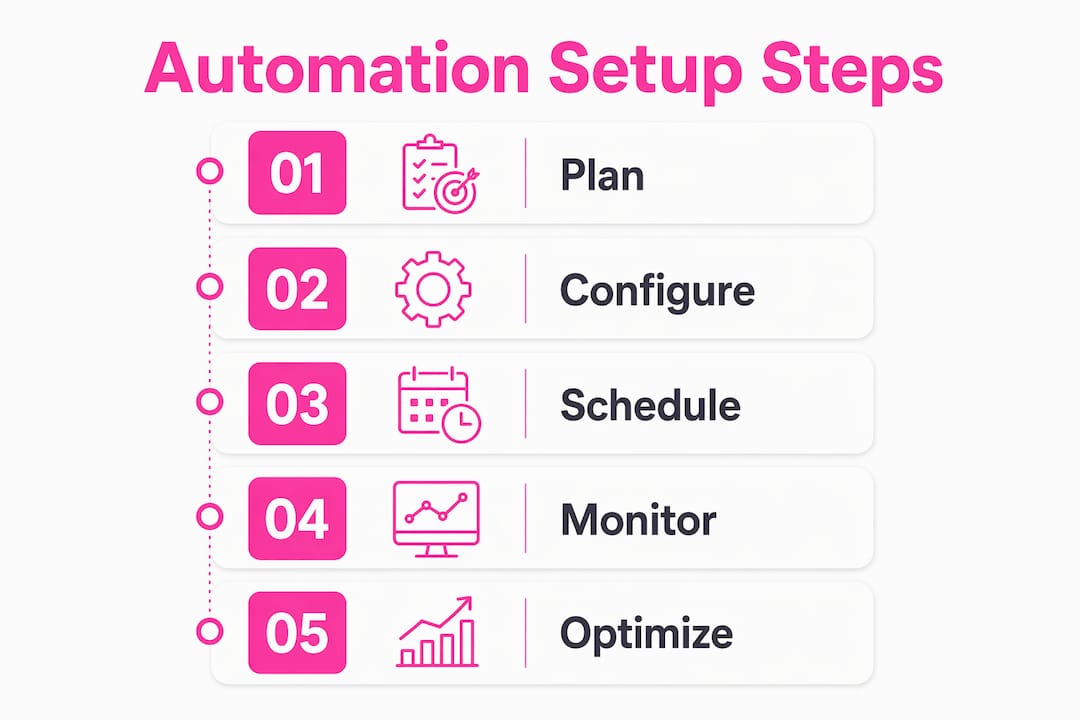
A repeatable workflow is the difference between automation that works and automation that creates more problems than it solves. Poor process standardisation causes failure of automated site checking systems. The fix is a structured setup process you follow for every new client.
-
Build a standard test suite. Create a template that covers uptime, SSL, page speed, and content quality checks. Standard test templates can be cloned and customised per client, allowing onboarding in about 30 minutes after the initial setup. That speed compounds quickly across a growing portfolio.
-
Schedule scans at appropriate intervals. Uptime checks run every 60 seconds. SEO and content audits run weekly or fortnightly. Running a full SEO crawl every hour wastes resources and produces noise rather than insight.
-
Configure alert routing per client. Each client should have a designated contact or internal team member who receives alerts relevant to their site. Alert routing by client and severity tier avoids notification overload and ensures relevant issues are addressed promptly.
-
Set up white-label reporting. Clients expect professional deliverables. A branded, website spell check report that arrives automatically each week removes the need for manual data compilation and positions you as a proactive partner.
-
Add visual integrity monitoring. Do not rely on uptime checks alone to confirm a site looks correct. Schedule visual diff scans after every deployment.
Pro Tip: Add a visual regression check to every client’s post-deployment workflow. Uptime monitors confirm a server is responding. They do not confirm that the homepage layout has not collapsed.
What are the most common problems with automated website checks?
Automation fails in predictable ways. Knowing the failure modes in advance means you can configure your systems to avoid them.
- Alert fatigue. When every minor fluctuation triggers a notification, teams start ignoring alerts entirely. Set grace periods so that a brief spike in response time does not send an alarm at 2 AM. Severity tiers help: a broken checkout page is critical; a slow-loading image is low priority.
- False positives from outdated test scripts. When a client redesigns their site, old test scripts that reference specific page elements will fail incorrectly. Schedule a quarterly review of all test configurations to keep them aligned with live site structures.
- Misrouted alerts. An alert about a client’s e-commerce checkout going to the wrong team member delays resolution. Map every alert type to a named contact before you go live.
- Missed deployment regressions. Scheduled scans run on a fixed timetable. A deployment that breaks a site at 11 PM may not be caught until the next morning scan. Automation integrated into CI/CD pipelines triggers audits upon deployment, spotting regressions immediately rather than waiting for scheduled scans.
Pro Tip: Use AI-driven audit tools that discover new pages and interactive states independently. AI-driven agent audit tools maintain site quality without requiring manual test maintenance every time a client adds a new page.
The underlying cause of most automation failures is not the technology. Automation failure usually stems from a lack of standardised workflows and inconsistent reporting practices. Fix the process first, then configure the tools.
How does automation improve agency workflows and client satisfaction?
The operational benefits of automated monitoring extend well beyond saving time. They change the nature of the relationship you have with clients.
- Time savings at scale. Automated AI-narrated reporting saves agencies roughly 3 hours per client per month by eliminating manual data compilation. Across 20 clients, that is 60 hours per month returned to billable work.
- Consistent, branded reporting. Clients receive the same quality of report every week, regardless of how busy your team is. A downloadable proofreading report with your branding on it signals professionalism and attention to detail.
- Proactive issue detection. Automated systems catch problems before clients notice them. Telling a client you fixed an issue before they saw it is far more impressive than explaining why their site was broken for three hours.
- Scaling without hiring. A well-configured automated system lets you grow from 10 client sites to 50 without adding headcount. The monitoring workload stays flat while your portfolio grows.
- Client self-service. Status dashboards give clients visibility into their own site health. This reduces inbound queries and builds confidence in your service.
Agencies that manage website quality for clients through automated systems consistently report stronger client retention. Clients stay when they see evidence of ongoing care, not just reactive fixes.
Key takeaways
Automated website QA is the most reliable way to manage website quality for clients at scale, combining scheduled scans, alert routing, and branded reporting into a repeatable system.
| Point | Details |
|---|---|
| Automation is essential at scale | Manual checks fail beyond 10–15 client sites; automation handles 50 or more without extra staff. |
| Use four tool categories | Combine uptime monitors, SEO audit platforms, visual regression tools, and content quality checkers. |
| Standardise before you automate | Clone test templates per client to onboard new sites in about 30 minutes. |
| Route alerts by client and severity | Tiered alert routing prevents notification fatigue and speeds up issue resolution. |
| Branded reports build client trust | Automated, white-label reports delivered weekly position you as a proactive partner. |
What I have learned from years of watching automation go wrong
Most agencies approach automation as a technology problem. They buy the tools, configure the scans, and assume the system will run itself. That assumption is where things fall apart.
The agencies that get the most from automated monitoring are the ones that treat it as a process problem first. They build a standard framework before they onboard a single client. They decide upfront which alerts go to whom, what counts as critical versus informational, and how often reports go out. The technology then executes that framework reliably.
Visual diff monitoring is the most underused capability I see. Teams invest in uptime checks and SEO audits, then discover a client’s site has been displaying a broken header for a week because no status code ever flagged it. Visual integrity checks are not optional for branding-sensitive clients. They are the check that protects your reputation as much as the client’s.
The other thing I would push back on is the idea that automation replaces human judgement entirely. It does not. Automated scans tell you what is wrong. A skilled professional still needs to interpret why it matters and what to do about it. The best workflows I have seen combine automated detection with a monthly manual review of strategic pages. That combination catches what neither approach finds alone.
If you are managing more than five client sites and still relying on manual checks, the risk is not theoretical. It is a matter of when, not if, something slips through.
— Website
How Websitespellchecker fits into your automated QA workflow
Content quality is the one area most automated monitoring stacks leave uncovered. Uptime monitors and SEO platforms do not catch a misspelled product name or a grammar error on a landing page. Those errors are exactly what clients notice, and what their customers use to judge credibility.

Websitespellchecker fills that gap directly. It runs automated spelling and grammar audits across entire websites in one scan, tracks errors over time, and produces branded, downloadable reports you can send straight to clients. For agencies and business owners managing multiple sites, the packages available scale with your portfolio. You can scan 50 pages free to see the results before committing to a plan.
FAQ
What is automated website QA?
Automated website QA is the use of scheduled software scans to monitor a site’s technical health, content quality, and performance without manual checks. It covers uptime, SSL validity, page speed, and content errors.
How often should automated scans run?
Uptime checks run every 60 seconds. SEO and content audits typically run weekly or fortnightly, depending on how frequently the site is updated.
Can automation replace manual website reviews entirely?
Automation handles detection reliably, but a monthly manual review of strategic pages catches issues that automated scans miss, particularly around context and user experience.
How does a website error checker for agencies handle multiple clients?
A well-configured website error checker for agencies uses cloned test templates per client, separate alert routing, and white-label reports to manage dozens of sites from a single dashboard.
Why do automated checks miss spelling and grammar errors?
Uptime monitors and SEO platforms check technical signals, not content accuracy. A dedicated tool like Websitespellchecker is required to catch content errors that technical scanners overlook entirely.