What is a brand glossary and how do you start one?

A brand glossary is a company-approved list of preferred spellings, hyphenation and phrasing that everyone writing for your website has to follow. It settles the arguments before they start: is it “e-commerce” or “ecommerce”, “sign in” or “log in”, “Website SpellChecker” or “WebsiteSpellChecker”?
Your first move should take less than an hour. Open a shared spreadsheet or wiki page and list 20 terms that appear constantly across your site: product names, feature names, common actions, and any phrase your team keeps disagreeing about.
Two things happen almost immediately once that list exists:
- Customers stop noticing inconsistencies that quietly chip away at trust.
- Editors and developers stop re-litigating the same spelling decisions in every review cycle.
Key Takeaways
A brand glossary works because it converts spelling and phrasing decisions from repeated arguments into a documented, owned, and auditable reference everyone can check in seconds.
| Point | Details |
|---|---|
| Start small | List 20 high-impact terms in a shared spreadsheet before building anything elaborate. |
| Use complete columns | Include approved form, forbidden variants, owner, status, and last-updated date on every entry. |
| Match platform to scale | Spreadsheets suit early stages; wikis aid discovery; dedicated tools suit multilingual, high-approval teams. |
| Assign real ownership | Give each term an owner and approver, and review the whole list quarterly. |
| Automate the audit | Websitespellchecker scans surface live mismatches against your glossary so fixes aren’t left to manual reviews. |
Table of Contents
- What to include in a brand glossary: exact columns and a sample row
- Choosing a platform: spreadsheets, wikis and dedicated tools
- Who owns it and how updates get approved
- Getting the glossary into your CMS and writing tools
- Keeping the glossary alive: audits and the numbers that prove it works
- Three steps to build your first brand glossary this week
- Treating the glossary as a service-design tool
- How Website SpellChecker supports glossary workflows and automated checks
- Frequently asked questions
- Sources
What to include in a brand glossary: exact columns and a sample row
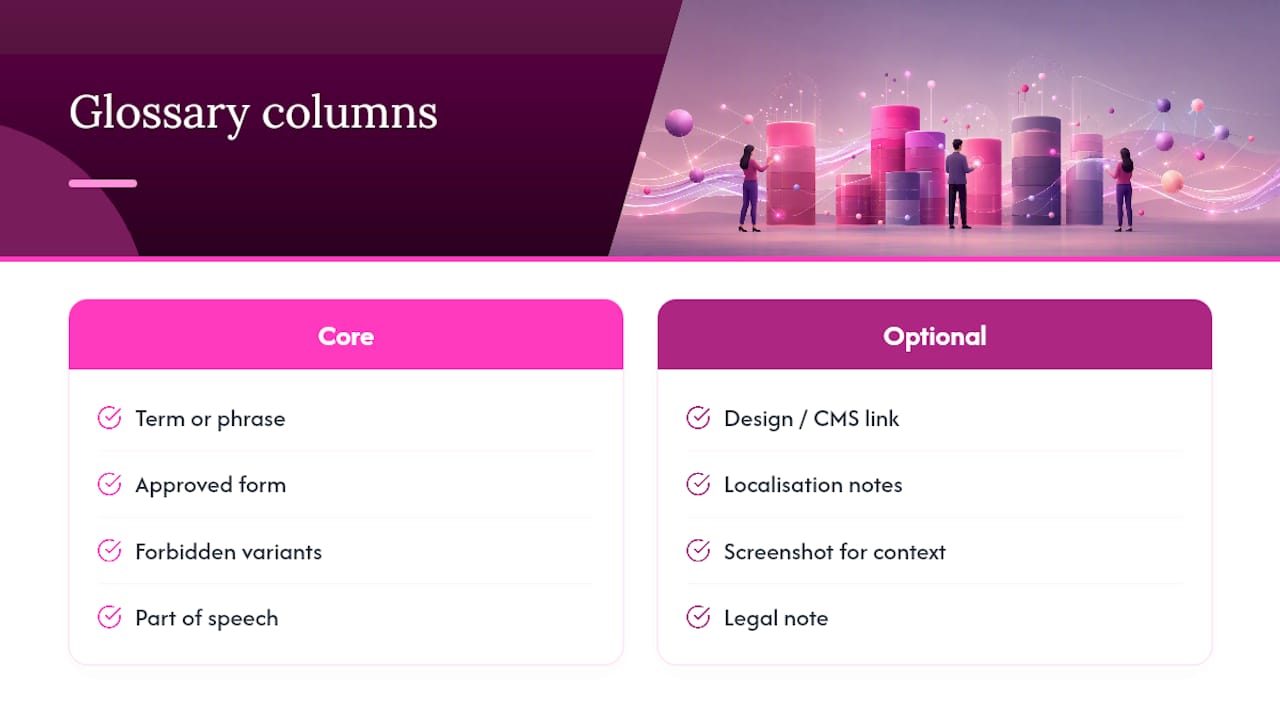
A glossary entry earns its place only if it’s specific enough to settle a dispute without a follow-up question. The core columns that make that possible are: term or phrase, approved form, forbidden variants, part of speech, plain-language definition, example sentence, owner, approval status, and last updated. This structure mirrors what a well-built product glossary uses to keep product, marketing and support teams speaking the same language.
A few optional columns pay for themselves once your glossary grows past a few dozen entries: a link to the relevant design-system component or CMS field, localisation notes for translated markets, a screenshot for visual context, and a legal note where wording carries compliance weight (think “guaranteed” or “certified”).
Here’s how a single row might look in practice:
Twenty rows like this, filled in properly, will resolve more editorial disputes than a fifty-page style guide nobody reads.
Choosing a platform: spreadsheets, wikis and dedicated tools
Start in a spreadsheet. It’s fast, everyone already knows how to use it, and you can freeze the term and approved-form columns so they stay visible as the list grows, a layout tip that comes straight from practitioners who build product glossaries for a living. Add filters by status or owner once you pass 50 entries.
A wiki or CMS page becomes worth the move when discoverability matters more than editing speed. Embedding the glossary inside your existing documentation means writers find it while they’re already working, not after they’ve guessed wrong.
A dedicated termbase tool earns its cost only at real scale: multiple languages, API access, or formal approval chains involving legal sign-off. Weigh the trade-offs honestly:
- Spreadsheets: fast to start, weak on permissions and version history.
- Wikis/CMS: better discoverability, moderate integration effort.
- Dedicated tools: strong governance and localisation support, but higher setup cost and a learning curve.
Who owns it and how updates get approved
Assign an owner and at least one approver for every term, drawn from product, marketing, and legal where the wording carries risk. One person owning the whole glossary alone invites bottlenecks; one person owning it in name only invites chaos.
A simple three-step workflow keeps entries honest without slowing anyone down, as detailed in this strategic guide to professional verbal clarity.
- Propose: anyone can suggest a new term or a change, tagged with a reason.
- Review: the assigned owner checks it against existing entries and forbidden variants.
- Approve or reject: status changes to “approved” or “deprecated”, with the decision logged.
Set a review cadence of every quarter, or every three months for smaller teams, and add trigger points for out-of-cycle updates, a rebrand, a new product line, or a legal requirement that changes overnight.
Pro Tip: Log every change with who updated it, the date, and a one-line reason. Six months later, nobody remembers why “Sign in” beat “Log in”, but the changelog will.
Getting the glossary into your CMS and writing tools
A glossary that lives in isolation gets ignored. The fix is to put it where writers already work.
Link the glossary directly inside your CMS templates, authoring tools and ticketing system, so the approved term sits next to the field it governs rather than three tabs away. Where your tech stack allows it, expose terms through an API or as design-system components; Sanity’s guidance on termbase management notes that centralised termbases exposed this way cut rework and speed up launches.
Run automated site scans and search-and-replace passes to catch drift that’s already live, and route anything ambiguous to the term’s owner rather than guessing. Add glossary links directly into CTA templates and UI snippet libraries, so the correct phrasing is the default, not a decision someone has to remember to make.
Keeping the glossary alive: audits and the numbers that prove it works
A glossary that never gets audited slowly rots. Regularly run checks on accuracy, forbidden variants in use, and team changes affecting ownership.
Tracking metrics such as time saved on editing, reduction in terminology edit requests, writer adoption rates who refer to the glossary before publishing, and detected mismatches from site scans can help assess the glossary’s effectiveness. A business glossary guide recommends building this measurement step into the governance process from day one, rather than bolting it on later.
When a term needs retiring, mark it “deprecated” rather than deleting it outright, note the replacement, and notify anyone with edit access before the next content sprint starts.
Three steps to build your first brand glossary this week
You don’t need a committee to start. You need an afternoon and a spreadsheet.
- Collect 20 high-impact terms. Pull them from your UI copy, your CTAs, and whatever spelling disputes show up most often in support tickets.
- Populate the required columns and assign owners. Fill in approved form, forbidden variants, definition, example sentence, and owner for each term, in a shared spreadsheet or wiki everyone can access.
- Run an initial scan, fix the worst mismatches, and book the first governance meeting. A manual pass works, but an automated scan will surface more in less time, and it gives you a baseline to measure against next quarter.
Treating the glossary as a service-design tool
The strongest glossaries aren’t written by one department in isolation. When marketing, product and support use the same approved phrasing, the customer experiences one brand instead of three slightly different ones stitched together across touchpoints. Designers and content strategists should co-own entries where UI context changes meaning, because a term that reads fine in an email can confuse someone mid-signup. None of this is glamorous work. But small, consistent editorial choices compound, and a glossary that nobody maintains drifts back into chaos within a year.
How Website SpellChecker supports glossary workflows and automated checks
A glossary only works if you can prove it’s being followed, and checking every page by hand doesn’t scale past a handful of URLs. Websitespellchecker exists for exactly that gap: it scans your entire site for spelling and phrasing mismatches in one pass, instead of you or an editor combing through templates manually.

The workflow is straightforward: scan your site, review the mismatches Websitespellchecker surfaces against your approved glossary entries, assign each one to the relevant owner, update the glossary or the page copy, then recheck. Scan history means you can track whether drift is shrinking release over release, and every report can be downloaded and shared with the writer or developer responsible for the fix. If you manage glossary workflows for a marketing team, the Website SpellChecker for marketing professionals page shows how the scans plug into that review cycle, and you can run a free scan today to see how many mismatches your current site is already carrying.
Frequently asked questions
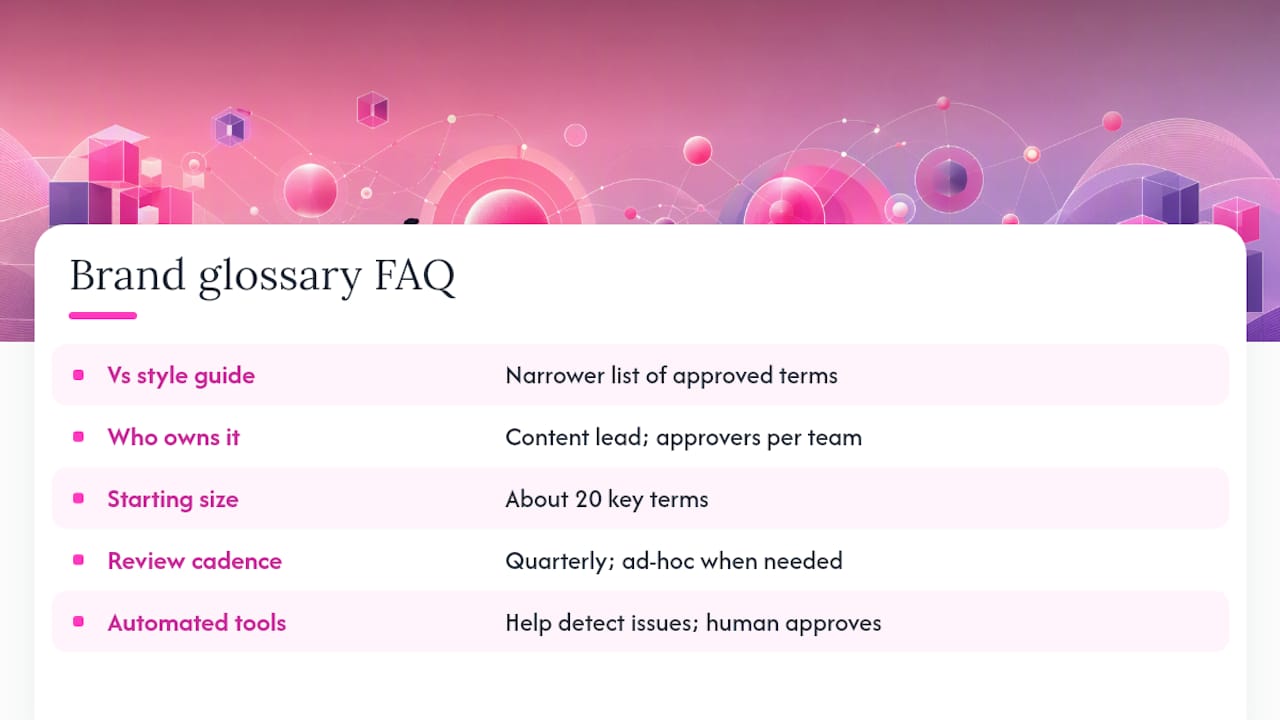
Is a brand glossary the same as a style guide? No. A style guide covers broader rules like tone, punctuation and grammar. A brand glossary is narrower: a specific list of approved terms, spellings and forbidden variants for your website, often built as a companion to your web style guide.
Who should own the brand glossary? Usually a content lead or brand manager owns it overall, with individual term approvers pulled from product, marketing or legal depending on what the term affects.
How many terms should a first glossary include? Twenty is a realistic starting point. Focus on terms that appear across multiple pages or cause the most repeated confusion, rather than trying to document everything at once.
How often should the glossary be reviewed? A quarterly review works for most teams, with out-of-cycle updates triggered by product launches, rebrands, or legal changes that can’t wait for the next scheduled check.
Can automated tools replace manual glossary audits? They speed up detection significantly, but a person still needs to review flagged mismatches and decide whether a term needs updating, approving, or deprecating.
Sources
For governance models and templates, see the business glossary guide and Sanity’s termbase management guidance. For translation-specific glossaries, see TranslatePress’s consistency guide.