Crawlability issues: your complete fix-it guide for 2026

Crawlability issues are obstacles that stop search engine bots from accessing and reading your website’s pages, which means those pages cannot be indexed and will not appear in search results. Crawlability is the first stage in the SEO funnel, sitting directly before indexing and ranking. If Googlebot cannot reach a page, that page simply does not exist as far as Google is concerned. The consequences are direct: lost organic traffic, reduced visibility, and pages that you have invested time and money in producing going entirely unseen.
The most common culprits behind poor crawlability include things like robots.txt blocks that accidentally prevent Googlebot from accessing key pages, broken internal links that isolate pages, server errors that cause Googlebot to throttle or abandon crawling, orphan pages with no internal links making them invisible, duplicate content that wastes crawl budget, JavaScript-heavy pages that crawlers struggle to render, and soft 404 errors where pages return a success status but show a ‘page not found’ message.
Each of these problems chips away at your site’s ability to rank. Fixing them is not optional if organic search performance matters to your business.
What is crawl budget and how does it affect your site?
Crawl budget is the number of URLs Googlebot will crawl on your site within a given timeframe. Google manages this as a finite resource shaped by two factors: crawl capacity and crawl demand.

Crawl capacity reflects how much your server can handle. If your server responds slowly or returns errors, Googlebot pulls back to avoid overloading it. Crawl demand reflects how valuable and popular your content is. Pages with strong backlinks and frequent updates attract more crawl attention than thin or rarely visited ones.
For small websites with a few hundred pages, crawl budget rarely causes problems. Google will typically discover and index everything within a reasonable timeframe; large sites, e-commerce platforms, and news publishers are a different story. When a site has tens of thousands of URLs, many of which are parameter-generated duplicates or low-value filter pages, Googlebot can exhaust its budget on those pages before reaching the content that actually matters.
The practical goal is not to get every single URL crawled. Prioritising your most valuable, canonical pages is a far more realistic and productive approach than chasing 100% coverage across a large site.
Key factors that drain crawl budget unnecessarily:
- Duplicate URLs created by session IDs, tracking parameters, or faceted navigation
- Redirect chains that force Googlebot to follow multiple hops before reaching the final URL
- Blocked resources such as CSS and JavaScript files that Googlebot needs to render pages properly
- Low-quality or thin pages that Google deprioritises in favour of higher-value content
- Unavailable robots.txt files that cause Googlebot to pause crawling until the file is accessible again
How crawlability problems hurt your SEO performance
The damage from poor crawlability shows up across several dimensions of SEO performance, not just in raw traffic numbers.
When key pages are blocked or inaccessible, they drop out of the index entirely. Only crawlable and indexable pages can appear in search results, so any page Googlebot cannot reach is effectively invisible to potential visitors. Blocked URLs reduce the total pool of indexable pages, which directly limits your organic reach.

Server errors compound the problem. When Googlebot encounters sustained 503 or 429 responses, it does not simply wait and try again indefinitely. Sustained server overload causes Googlebot to permanently reduce its crawl rate for your site, not just pause temporarily. Recovering that crawl rate takes time and consistent server reliability.
Duplicate content and orphan pages create a quieter but equally damaging drag. Duplicate pages split crawl budget between versions of the same content, while orphan pages, those with no internal links pointing to them, cannot be discovered by crawlers at all. A page can technically exist on your server but remain completely unknown to Googlebot if nothing links to it.
Direct SEO impacts of unresolved crawlability problems:
- Ranking drops on pages that are intermittently crawled or partially rendered
- Missing pages in the index due to robots.txt blocks or noindex tags applied in error
- Incomplete search snippets when pages are indexed by URL alone without being crawled, resulting in no title or description in search results
- Delayed discovery of new or updated content, meaning freshness signals take longer to register
- Wasted crawl budget on low-value pages, reducing attention on high-priority content
Common crawlability problems found on UK websites
UK websites face the same technical challenges as sites anywhere, but certain patterns appear repeatedly across British hosting environments and content management systems.
1. Robots.txt misconfiguration
A misconfigured robots.txt file is one of the most damaging and easily overlooked problems. Google treats a 404 response for a missing robots.txt as acceptable and proceeds with crawling normally. However, if the file is unreachable due to a DNS error or server timeout, Googlebot postpones the entire crawl until it can retrieve the file. A single line blocking the wrong directory can prevent Googlebot from accessing your most important pages.
2. Broken internal links
Broken links cut off crawl paths. When Googlebot follows a link and receives a 404 response, it cannot proceed further down that branch of your site. Pages that are only reachable via broken links become effectively invisible, even if they are technically live.
3. JavaScript dependency
Many modern UK websites, particularly those built on React, Vue, or Angular, rely heavily on JavaScript to render content. Googlebot can process JavaScript, but it does so in a separate deferred rendering queue. Pages that depend entirely on client-side JavaScript for their main content may be crawled with a significant delay, or rendered incompletely if critical scripts fail to load.
4. Soft 404 errors
A soft 404 occurs when a page returns a 200 (success) HTTP status code but displays a “page not found” or empty message to the user. Google’s crawlers treat these as low-quality or empty pages and may deprioritise or remove them from the index. They are particularly common on e-commerce sites where product pages remain live after stock is removed.
5. Subdomain confusion
Google treats example.com and www.example.com as distinct sites. If your site serves content across both without a canonical redirect, you risk splitting crawl attention and creating indexing confusion. This is a straightforward configuration issue but one that is frequently missed during site migrations.
6. Server availability and 5XX errors
UK hosting environments vary considerably in reliability. Server errors (5XX responses) signal to Googlebot that your server is struggling, prompting it to throttle crawl requests. The Crawl Stats report in Google Search Console shows exactly when these errors occurred and which URLs were affected, making it the first place to check when crawl rates drop unexpectedly.
7. Orphan pages
Pages with no internal links pointing to them cannot be discovered through normal crawling. Googlebot follows links to find new content, so a page that exists in isolation, perhaps left over from a site redesign or a campaign that has since ended, will never be crawled unless it appears in a sitemap.
8. Overly broad noindex or robots.txt rules
A template change or CMS update can accidentally apply a noindex tag or a robots.txt disallow rule across entire sections of a site. Google continues crawling URLs that return 4XX errors for a period in case the error is temporary, but it will not index pages carrying a noindex directive. Catching these errors quickly is critical.
9. Faceted navigation and parameter URLs
E-commerce sites using faceted navigation, such as filtering by colour, size, or price, often generate hundreds of parameter-based URLs that contain near-identical content. These pages consume crawl budget without contributing unique value, leaving less resource available for your core product and category pages.
10. Inaccessible resources
If Googlebot cannot load the CSS, JavaScript, or image files that a page depends on, it may interpret the page as empty or broken and flag it as a soft 404. Blocking these resource types in robots.txt, even unintentionally, prevents Googlebot from fully rendering your pages.
Step-by-step solutions for fixing crawlability issues
Resolving search engine crawl errors is methodical work. The steps below address the most common problems in a logical order, starting with diagnosis and moving through to ongoing maintenance.
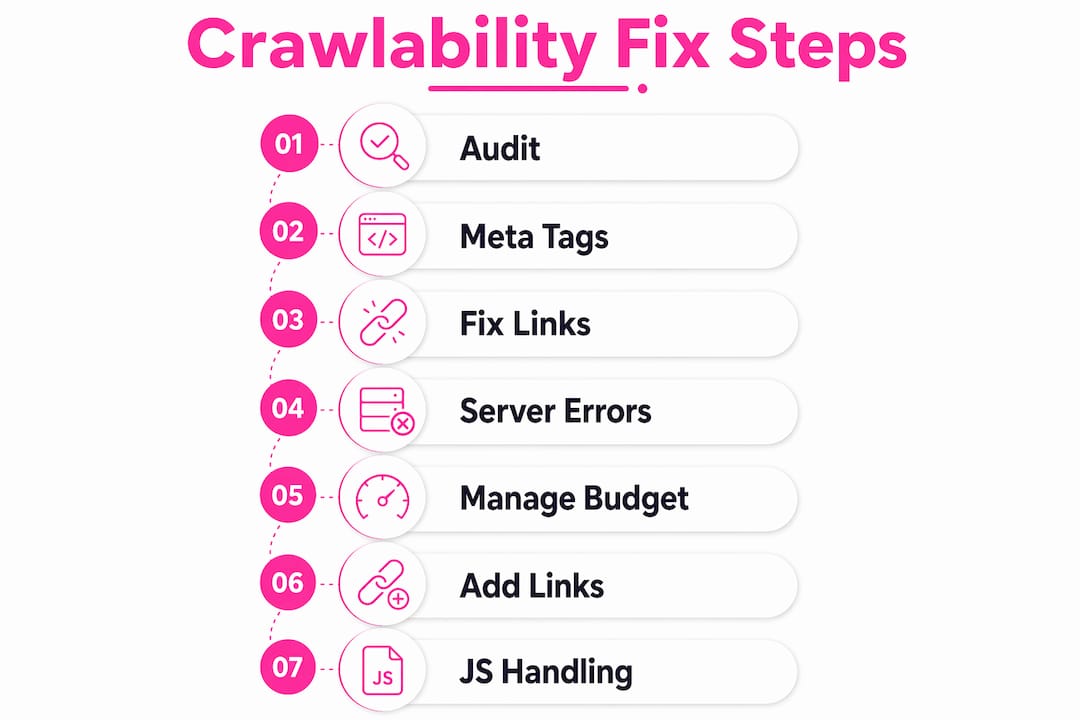
Step 1: Audit your robots.txt file
Open your robots.txt file at yourdomain.com/robots.txt and review every disallow rule. Check that no critical pages, directories, or resource files are blocked. Use Google Search Console’s robots.txt tester to verify which rules apply to Googlebot specifically. If your robots.txt file is returning anything other than a valid response or a 404, fix the server configuration immediately. An unreachable robots.txt file causes Googlebot to pause crawling your entire site.
Step 2: Check and fix meta robots tags
Search your CMS or codebase for noindex tags applied in error. A single template change can push noindex onto every page in a category. Use the URL Inspection tool in Google Search Console to check individual pages, and run a site crawl to identify any page returning a noindex directive that should be indexable.
Step 3: Fix broken internal links
Run a full site crawl using a technical SEO tool to identify all internal links returning 4XX responses. Update or remove broken links, and where a page has moved permanently, implement a 301 redirect to the new URL. Redirect chains of more than two hops should be collapsed to a single direct redirect.
Step 4: Resolve server errors and improve response times
Check the Crawl Stats report in Google Search Console for 5XX error spikes. If your server is consistently returning errors under Googlebot’s crawl load, you may need to increase server capacity or work with your hosting provider to identify configuration issues such as misconfigured firewalls or DoS protection systems that are blocking Googlebot. For a technical SEO checklist covering server and crawl considerations, TheWebTeam’s 2026 guide is a practical reference.
Pro Tip: If your server is being overwhelmed by Googlebot, you can temporarily return HTTP 503 or 429 status codes to slow the crawl. Do not maintain these responses for more than two days, as prolonged use causes Googlebot to permanently reduce its crawl frequency for your site.
Step 5: Manage crawl budget on large sites
For large or e-commerce sites, consolidate duplicate URLs by implementing canonical tags on parameter-based pages. Block low-value URLs, such as session ID variants and internal search result pages, via robots.txt. Submit an XML sitemap that includes only the canonical, indexable URLs you want Google to prioritise. A well-maintained sitemap strategy reduces wasted crawl budget considerably.
Step 6: Add internal links to orphan pages
Run a crawl of your site and cross-reference the results against your sitemap to identify pages that receive no internal links. Add contextually relevant links from related pages, category pages, or your navigation to bring these orphan pages into the crawl path.
Step 7: Handle JavaScript rendering carefully
For pages where content is rendered client-side, test how Googlebot sees them using the URL Inspection tool’s “Test Live URL” feature, which shows the rendered version of the page. Where possible, implement server-side rendering or dynamic rendering for critical content so that Googlebot does not have to wait for JavaScript execution.
Quick reference for fixing crawlability problems:
- Verify robots.txt rules and fix any that block key pages or resources
- Remove erroneous noindex tags using the URL Inspection tool
- Fix or redirect all broken internal links
- Resolve 5XX server errors and check firewall configurations
- Implement canonical tags on duplicate and parameter-based URLs
- Submit and maintain an accurate XML sitemap
- Add internal links to orphan pages
- Test JavaScript-rendered pages with the URL Inspection tool
How Websitespellchecker supports better site quality and crawlability
Crawlability is not only a technical infrastructure problem. Content quality plays a direct role in how Google allocates crawl budget to your site. Pages filled with spelling errors, broken formatting, or inconsistent language signal low quality to both users and search engines, reducing the crawl attention those pages receive over time.
Websitespellchecker is an AI-powered scanning tool that checks your entire website for spelling mistakes, grammatical errors, awkward phrasing, missing words, and formatting problems in one automated pass. For website owners, SEO professionals, and digital marketers, it removes the need for manual page-by-page review and delivers instant, detailed reports you can act on immediately.

Key capabilities that support site quality and search credibility:
- Whole-site scanning that covers every page in a single run, including multi-language content
- Scan history tracking so you can monitor quality improvements over time and catch regressions early
- Detailed, downloadable PDF reports that are easy to share with clients or development teams
- Bespoke scan configuration allowing you to focus on specific sections or page types
- No monthly subscription with a usage-based, pay-per-page model and a free tier to get started
Poor content quality chips away at trust with both visitors and search engines. Websitespellchecker keeps your site polished, professional, and credible, giving crawlers a clear signal that your content is worth indexing and ranking. For developers and agencies managing multiple client sites, the agency-focused plan scales to cover large portfolios without adding manual overhead.
Key takeaways
Crawlability issues sit at the very start of the SEO process, and fixing them is the fastest way to recover lost indexing and organic visibility.
| Point | Details |
|---|---|
| Crawlability precedes ranking | Pages that Googlebot cannot access will never appear in search results, regardless of their content quality. |
| Crawl budget is finite | Google allocates crawl resource based on server health and content value; wasted budget on duplicate or low-quality pages reduces attention on important ones. |
| Robots.txt errors have different effects | A 404 for a missing robots.txt allows crawling to continue; an unreachable file due to DNS or timeout causes Googlebot to pause the entire crawl. |
| Server errors cause lasting slowdowns | Sustained 5XX responses prompt Googlebot to permanently reduce crawl frequency, not just pause temporarily. |
| Content quality influences crawl priority | High-quality, error-free pages attract more crawl attention; tools like Websitespellchecker help maintain the standard that search engines reward. |