Editors: Four Hyphenation Rules Backed by Style Guides and Site Scans

Hyphenate compound modifiers when they sit before a noun (a well-known author, a noise-cancelling headphone), but leave them open once they follow it. Beyond that core rule, watch for four exception groups: compound numbers, prefixes, suspended hyphens, and proper nouns, all of which bend the pattern. When you’re unsure, check a dictionary or style guide rather than guessing.
TL;DR:
- Hyphenate compound modifiers before a noun for clarity, but open them up when they follow the noun in most cases; consult a dictionary if unsure.
- Use hyphens in compound numbers, ages as adjectives, and spelled fractions, but avoid spaces around hyphens in such cases.
- Hyphenate most prefixes before capitalized words or numerals and when unhyphenated forms cause confusion or change meaning.
- Be consistent with hyphenation across your website using tools that track and fix variations, as style guides and dictionaries evolve at different rates.
- Distinguish hyphens from dashes (en and em) to prevent punctuation errors, and avoid stacking long hyphenated modifiers in digital copy for readability.
Table of Contents
- Core hyphenation rules every editor should know
- What are compound modifiers and how do you punctuate them?
- How do you hyphenate numbers and ages?
- When do prefixes and suffixes need a hyphen?
- Open, hyphenated or closed: why compounds keep changing
- What’s the difference between a hyphen and a dash?
- What are suspended hyphens and how do you punctuate them?
- How should hyphens work in web copy and UI text?
- Which hyphenation cases trip editors up most often?
- Why this guide draws on established style authorities
- An editor’s real trade-off between speed and consistency
- Keep hyphenation consistent across every page you publish
- Where to check hyphenation rules yourself
- Sources
Core hyphenation rules every editor should know
Most hyphenation questions boil down to a handful of recurring situations, and once you know them, you’ll spot the right call in seconds rather than second-guessing every sentence.
- Before the noun, hyphenate: “a fast-moving vehicle” needs the hyphen because “fast” and “moving” work together as one description.
- After the noun, usually open it up: “the vehicle was moving fast” needs no hyphen at all.
- Compound numbers and spelled-out fractions get hyphens: twenty-one, ninety-nine, three-quarters.
- No spaces ever sit around a hyphen whether you’re joining words or numbers.
- When a compound feels fixed or common, check a dictionary first rather than relying on instinct, since usage shifts faster than most writers realise.
Purdue OWL’s hyphen guidance backs this pre-noun rule directly, and it’s the single most useful habit to build if you only take one thing from this guide.
What are compound modifiers and how do you punctuate them?
A compound modifier, sometimes called a phrasal adjective, is two or more words acting together to describe a noun. Hyphenating them prevents the reader’s eye from misreading the phrase, which matters more than it sounds. “A well-known author” reads instantly as one idea. Strip the hyphen and write “a well known author,” and for a fraction of a second the brain tries to parse “well” as a separate adverb modifying something else.
University of Texas’s legal writing guidance makes the same point using contract language, where ambiguity has real consequences: a “long term contract” (no hyphen) can genuinely be misread, while “long-term contract” cannot.
Here’s a short process for handling new or unfamiliar compounds:
- Check if the compound sits before the noun. If yes, hyphenate it for clarity.
- Check if it sits after the noun (“the headphones are noise cancelling”). If so, drop the hyphen.
- If the term recurs often across your site or publication, check Merriam-Webster to see whether it has settled into a closed or hyphenated form.
- If the modifier stretches past three words, rephrase rather than stack hyphens. “State-of-the-art, cloud-based, enterprise-grade software” reads better as “software built for enterprise cloud deployments.”
How do you hyphenate numbers and ages?
Numbers follow their own tight set of rules, and they’re some of the easiest to get consistently right once memorised.
- Hyphenate spelled-out compound numbers from twenty-one to ninety-nine.
- Hyphenate ages used as adjectives: a 10-year-old student, not a “10 year old student.”
- Hyphenate spelled fractions used as modifiers: one-third of respondents, a two-thirds majority.
- For ranges, an en dash (2020–2026) is the style-guide standard, though “to” reads more naturally in running prose (from 2020 to 2026).
- Never insert spaces around the hyphen in any of these forms.
Pro Tip: When a number and unit sit together in body copy, keep them close with a non-breaking space rather than relying on hyphenation to prevent an awkward line break, particularly on mobile layouts.
When do prefixes and suffixes need a hyphen?
Most prefixes close up against the root word without a hyphen: nonprofit, reelect, overqualified. The exceptions cluster around a few predictable triggers.
- Hyphenate before a capitalised word or a numeral: post-2000, non-Google, un-American.
- Hyphenate when the unhyphenated form creates a different word or genuine confusion: re-sign a contract versus resign from a job; re-cover a chair versus recover from illness.
- self-, ex-, all- almost always take a hyphen: self-aware, ex-president, all-inclusive.
- cross- and re- vary by word and by dictionary entry, so check rather than assume.
- Suffixes like -style, -elect, -free typically hyphenate too: Tudor-style, president-elect, sugar-free.
Open, hyphenated or closed: why compounds keep changing
Compound words tend to move through three stages over time: open (“web site”), hyphenated (“web-site”), and eventually closed (“website”). Frequency drives the shift. The more often a term appears in print, the faster it tends to collapse into one word, and dictionaries track that evolution far faster than most style guides.
Merriam-Webster is explicit that this movement happens gradually and unevenly, which is exactly why two respectable publications can disagree on the same word at the same time.
- When you’re unsure which stage a compound has reached, check the dictionary entry rather than guessing from memory.
- Keep a running word list for your own site or publication so the same compound doesn’t appear three different ways across three articles.
- Editorial preference is fine when the dictionary allows more than one form; consistency across your own content matters more than picking the “most correct” variant.
- Revisit your house list periodically, since yesterday’s hyphenated form may be today’s closed one.
What’s the difference between a hyphen and a dash?
Hyphens, en dashes, and em dashes look similar but do different jobs, and mixing them up is one of the most common punctuation slips editors catch.
- The hyphen (-) joins compound words and numbers, with no space on either side.
- The en dash (–) typically signals a range (pages 45–60, the 2020–2026 period).
- The em dash marks a break in a sentence or sets off a clause, with spacing conventions that vary by house style.
- GrammarBook’s punctuation guide confirms hyphens and dashes are not interchangeable, even though many keyboards make the hyphen the easiest character to reach.
What are suspended hyphens and how do you punctuate them?
A suspended hyphen lets two or more modifiers share a single base word without repeating it: “high- and low-priority tasks” instead of “high-priority and low-priority tasks.” The rule on spacing is precise: no space before the hyphen, but a space after it, since the hyphen is standing in for the missing word.
- “short-, medium- and long-term plans” follows the same pattern across three items.
- “10- and 20-metre lanes” works the same way with numbers and units.
Pro Tip: If a sentence needs more than two suspended hyphens to make sense, split it into two sentences instead. Readers shouldn’t have to hold that many placeholders in their head at once.
How should hyphens work in web copy and UI text?
Long compound modifiers are harder to scan on a screen than on a printed page, particularly on narrow viewports where an awkward break can shove a hyphenated word onto its own line.
- Avoid stacking three or more hyphenated words in navigation labels or button copy: “user-generated-content policy” reads better as “policy for user-generated content.”
- Google’s developer documentation style guide recommends moving modifiers after the noun where possible, precisely for this readability reason.
- Watch how hyphens interact with responsive line breaks. A word that hyphenates cleanly on desktop can split awkwardly once the layout narrows.
- Where a number and abbreviated unit sit together (10 kg, 4K), a non-breaking space often serves better than a hyphen, since it keeps the pair intact across breakpoints.
- Rewriting a long compound into a short clause almost always beats adding another hyphen. Reviewing your UX writing guidelines alongside your hyphenation rules keeps both consistent.
Which hyphenation cases trip editors up most often?
A handful of edge cases account for most hyphenation errors even among experienced editors.
- Adverbs ending in -ly never take a hyphen before an adjective: “a highly effective method,” never “a highly-effective method.”
- Double surnames and proper nouns follow the individual’s own preference, not a general rule, so check how the person or organisation actually writes their own name.
- When genuinely stuck, read the sentence aloud. If the meaning is instantly clear without the hyphen, you probably don’t need one.
- If a compound still feels clunky after you’ve applied the rules, rephrasing the sentence is often the cleaner fix rather than forcing a hyphen to do the work.
Why this guide draws on established style authorities
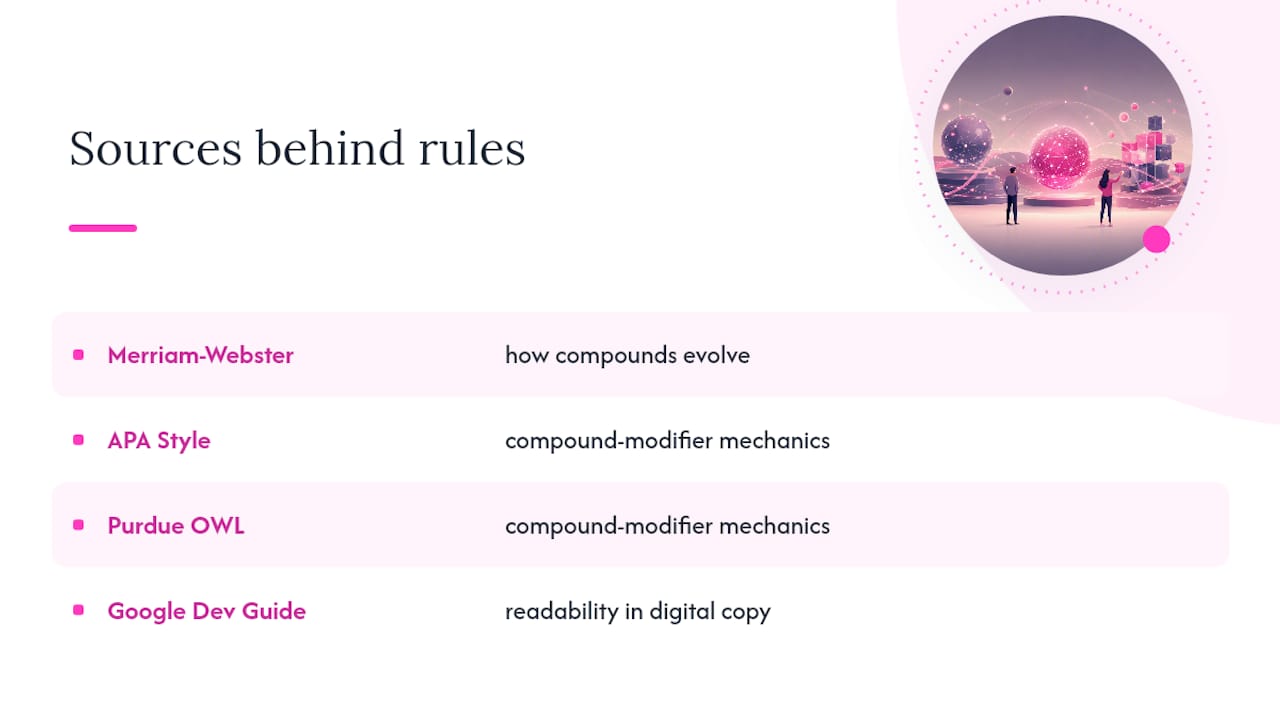
The rules above come from the same sources professional editors already trust: Merriam-Webster for how compounds evolve, APA Style and Purdue OWL for compound-modifier mechanics, and Google’s developer style guide for readability in digital copy. None of them agree on every edge case, which is exactly why consistency across your own site matters more than chasing a single “correct” answer.
Automated tools that scan entire websites can flag where the same compound appears hyphenated on one page and open on another, then track those changes over time so inconsistencies don’t creep back in after a fix.
An editor’s real trade-off between speed and consistency
Applying these rules daily means constant small trade-offs. Faced with a five-word modifier stack recently, the cleaner fix wasn’t another hyphen. It was rephrasing the sentence entirely. Speed matters, but logging a house-rule decision once saves the same argument recurring across dozens of future edits.
— Website
Keep hyphenation consistent across every page you publish
Manually re-reading every page for hyphenation slips is slow, and it’s easy to miss a compound that’s hyphenated on your homepage but written open on a landing page three clicks away. Websitespellchecker scans an entire site in one pass, flags inconsistent compound forms alongside spelling and grammar issues, and gives you a dated record so you can see exactly what changed after each fix.

The workflow is straightforward: run a scan, apply your house rules to whatever it flags, then re-scan to confirm the fix held. Marketing teams managing dozens of pages use it to enforce one hyphenation standard across the whole site rather than relying on individual writers to remember every rule, and the reporting feature makes it easy to show stakeholders what was fixed and when. If you’re managing a growing site and want to check where hyphenation and spelling drift apart, try a scan and see what turns up.
Where to check hyphenation rules yourself
These are the primary sources worth bookmarking whenever a hyphen dispute needs a definitive answer.
- Merriam-Webster for checking whether a compound is currently open, hyphenated, or closed.
- Purdue OWL for general hyphen rules and everyday examples.
- APA Style for academic and research writing conventions.
- Google’s developer documentation style guide for technical and UI copy.
- University of Texas legal writing guidance for compound modifiers in contracts and formal documents.
If you’re building out a broader house style beyond hyphenation, a web style guide and consistent heading capitalisation rules tend to surface the same kinds of disputes, and content teams looking to cut down on unwieldy compound phrasing altogether may find rephrasing and repurposing techniques useful for simplifying long-form copy generally.
Sources
Style guides don’t always agree with each other, and dictionaries update faster than most editorial handbooks. A simple lookup order settles most disputes without much debate.
- Hyphen use (Purdue OWL)
- To hyphenate or not to hyphenate? (Merriam-Webster)
- Hyphenation principles (APA Style)
- Hyphens | Google developer documentation style guide
- The compound modifier: Hyphen connects and clarifies (University of Texas legal writing)