Proofreading pricing for UK websites: what to expect

Automated website proofreading typically uses a pay-per-page or credit-based model, and for most UK sites the per-page cost sits in the low pence range per scan. A 50-page brochure site scanned once a month costs a few pounds at most. Scan 1,000 pages weekly and you are looking at a more meaningful monthly figure, but still far less than a single hour of agency time.
Here is a quick worked example to anchor your thinking:
- Site size: 200 pages
- Scan frequency: twice a month
- Per-page rate: £0.01 (a typical mid-range credit rate)
- Monthly cost: 200 × 2 × £0.01 = £4.00
That is the arithmetic. The actual figure shifts based on page count, scan frequency, and which features you need, but the formula stays the same throughout this guide.
Table of Contents
- What factors change your per-page scan price?
- How to estimate your monthly and annual spend
- Billing mechanics and technical details your team needs to know
- What do you actually get for the spend?
- How do you choose the right proofreading scan vendor?
- Who should buy pay-per-page proofreading scans?
- Key takeaways
- Why usage-based pricing is the honest model for website scanning
- Websitespellchecker: scan your site for less than the cost of a coffee
- Useful sources
What factors change your per-page scan price?
The headline per-page rate is only the starting point. Several variables push it up or down.
Page count and crawl depth are the most obvious drivers. A 10,000-page site costs more to scan than a 100-page one, but many vendors offer volume discounts above certain thresholds.
Scan frequency compounds quickly. Weekly scans on a large content site can multiply your monthly spend by four compared with a monthly cadence. AI SEO audits for UK businesses recommend a six-monthly baseline scan for stable sites, with more frequent scans for sites that publish new content regularly.
Multi-language pages add processing overhead. If your site serves content in French, German, and English, the scanner must apply separate language models to each page, which some vendors price as a separate feature or at a higher per-page rate. Websitespellchecker supports multi-language site scanning as part of its core offering.
Authenticated and protected pages require the crawler to handle login flows or pass session tokens, which increases technical complexity. AI-driven technical audits note that JS-heavy pages and rendering requirements also add processing time, which is a legitimate cost driver.
PDF exports, custom QA rules, and API integrations are often add-ons. A downloadable PDF report is a standard trust signal; if a vendor charges extra for it, factor that into your comparison.
Automated scans replace the mechanical effort of reading every page for typos and grammar slips. They do not replace the human judgement needed to decide whether a flagged phrase is actually wrong in context. Budget for both.
Pro Tip: Watch for re-scan charges. If your site deploys a content update mid-month and you need a fresh scan, some vendors count that as a full new scan against your credits. Ask about re-scan policy before you buy.
How to estimate your monthly and annual spend
Use this formula as your baseline:
- Count your total scannable pages (use your sitemap or a free crawler).
- Decide your scan frequency (monthly, fortnightly, weekly).
- Multiply: pages × scans per month × per-page rate.
- Subtract any free trial credits or bundle discounts.
- Multiply by 12 for an annual figure.
The table below maps three common UK site profiles to estimated monthly costs using the typical mid-range credit rate of £0.01 per page.
| Site profile | Pages | Scans/month | Typical cost (£0.01/page) |
|---|---|---|---|
| Small brochure site | 50 | 1 | £0.50 |
| Medium content site | 1,000 | 4 | £40.00 |
| Agency portfolio (5 clients × 200 pages) | 1,000 | 4 | £40.00 |
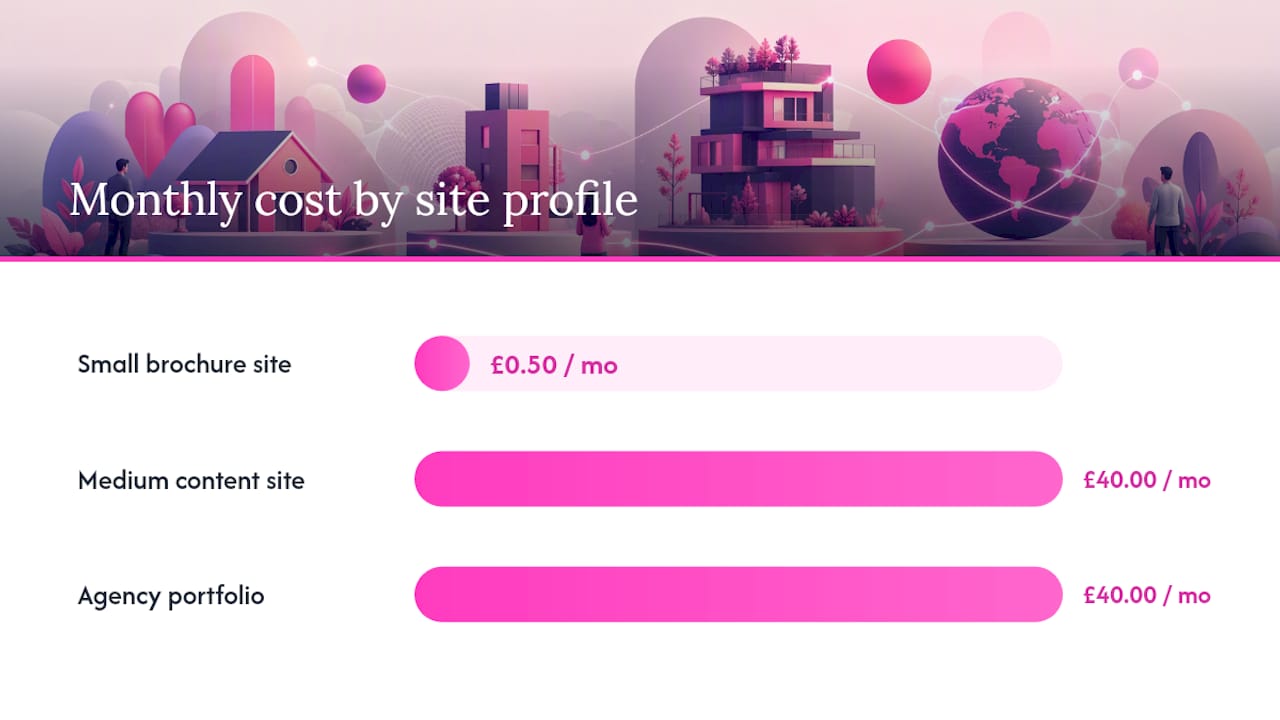
For context, UK agency benchmarking shows that manual site audits from agencies range from a few hundred pounds for a basic check to several thousand for an enterprise engagement. A monthly automated scan at the typical rate above costs a fraction of a single manual audit.
Free trial credits change the calculation in your first month. Most tools offer enough free credits to scan a small site in full, so your actual spend in month one may be £0.
Billing mechanics and technical details your team needs to know
Credits are the most common billing unit. You top up your account balance, and each page scanned deducts one credit. Invoices and audit logs record every scan event, which matters for internal chargebacks and compliance sign-off.
For authenticated pages, the crawler must pass the right headers or session tokens. Cloudflare’s pay-per-crawl mechanism illustrates how this works at a protocol level: a publisher can respond with HTTP 402 to signal that crawler access requires payment, using crawler-exact-price and crawler-max-price headers to negotiate the fee. While that specific flow is a publisher-side monetisation tool, it shows why authenticated scan support is a genuine technical requirement, not a premium add-on.
Treat your scan history and billing records as an audit trail, not just a receipt. If a compliance question arises about when a content error was present on your site, timestamped scan logs answer it.
For your IT team, the practical checklist is:
- Whitelist the scanning bot’s IP range or user-agent string (see WSSC-Bot crawler documentation for Websitespellchecker’s crawler details).
- Decide whether to scan staging or production, and set up separate scan profiles for each.
- Confirm how the tool handles paywalled or login-protected content.
- Check that CSV and PDF export formats match your reporting workflow.
The NCSC guidance on secure use of generative AI recommends limiting uploads of sensitive data to AI tools and treating outputs as unverified until reviewed. Apply the same principle here: do not route pages containing personal data through a scan unless you have confirmed the vendor’s data processing terms.
Pro Tip: Ask the vendor for a sample Data Processing Agreement before your trial ends. GDPR accountability sits with you as the data controller, not the tool vendor.
What do you actually get for the spend?
The primary return is time; for example, you can estimate costs using a SaaS Pricing Calculator — Suggested Pricing Tiers (Free) | Blueprint AI to prototype pricing tiers and see revenue impact for different per-page bands. Manual proofreading of a 1,000-page site is not a realistic task for a content team; automated scanning makes it a background job. A practical AI proofreading workflow positions automated tools as a mechanical pre-filter inside a six-step human-centred process, with conservative efficiency gains of 20–40% on editing time for professional services teams.
Beyond time, there are two business-critical benefits. First, public errors chip away at trust. A typo on a pricing page or a grammar slip in a case study signals carelessness to a prospective client. Second, clean copy supports SEO. Search engines use content quality as a ranking signal, and why your site still has errors after a manual check explains why human review alone misses more than most teams expect.
Suggested KPIs to track your return:
- Errors found per scan (baseline, then trend over time)
- Pages fixed per month
- Editing hours saved per content cycle
- Reduction in customer queries about incorrect information
Automated scanning is most cost-effective on sites that change often. A static five-page site needs one good scan; a blog publishing three times a week needs continuous monitoring.
Pro Tip: Build a simple spreadsheet: log errors found per scan and time spent fixing them. After three months you have a defensible ROI figure for any budget review.
How do you choose the right proofreading scan vendor?
A short procurement checklist keeps the evaluation honest.
- Transparent per-page pricing — can you see the rate before you enter payment details?
- Free trial credits — enough to scan a representative sample of your site.
- Downloadable sample report — a PDF export you can share with stakeholders before committing.
- Scan history and audit logs — timestamped records for compliance and change tracking.
- GDPR and data processing terms — a published DPA or clear data residency statement.
- API access — for teams that want to trigger scans from a CI/CD pipeline or CMS workflow.
- SLA and support — response times and escalation paths for enterprise buyers.
Questions to ask the sales or technical team:
- What is the per-page rate at my expected monthly volume?
- Is there a scan minimum per job, and how are re-scans charged?
- How does the tool handle authenticated pages and JavaScript-rendered content?
- What export formats are available, and are they included in the base price?
- Where is scan data stored, and for how long?
Red flags to watch for: pricing only available on request with no self-serve option, no sample report to download, no mention of audit logs, and no documented data protection terms. The CMA’s review of AI foundation models sets clear expectations around transparency and accountability for AI services; a vendor that cannot meet basic transparency tests on pricing and data handling is a risk.
Pro Tip: Run a small proof-of-concept scan on 50 pages before any commercial commitment. The quality of the error report tells you more than any sales call.
Who should buy pay-per-page proofreading scans?
Pay-per-scan pricing suits you if:
- You manage a website of any size and want errors caught before customers see them.
- Your team publishes content regularly and manual checking is not keeping pace.
- You are an agency billing QA time to clients and need a cost-effective per-site tool.
- You need audit logs and scan history for compliance or internal reporting.
The typical cost band (low pence per page) makes it accessible for a sole trader with a 20-page site and practical for an agency scanning hundreds of client pages monthly. Start with a free trial, scan a representative section of your site, and review the sample report. That single step tells you whether the tool catches the errors that matter to your business.
Websitespellchecker offers pay-per-page scanning with a free trial allowance, multi-language support, downloadable PDF reports, and scan history tracking — the features the procurement checklist above asks for, without a forced annual contract.
Key takeaways
Pay-per-page automated proofreading typically costs £0.01 per page at mid-range rates, making a monthly scan of a 200-page site achievable for £4 if scanned twice monthly.
| Point | Details |
|---|---|
| Typical per-page cost | £0.01 per page at mid-range rates; a 200-page site scanned twice monthly costs £4. |
| Main pricing models | Pay-per-scan, credit bundles, tiered subscriptions, and enterprise contracts each suit different buyer types. |
| Key cost drivers | Page count, scan frequency, multi-language support, authenticated pages, and PDF exports all affect the final price. |
| Free trial value | Most tools offer enough free credits to scan a small site in full, so month-one cost is often £0. |
| Websitespellchecker | Offers usage-based pay-per-page scanning with a free trial, PDF reports, scan history, and no forced annual contract. |
Why usage-based pricing is the honest model for website scanning
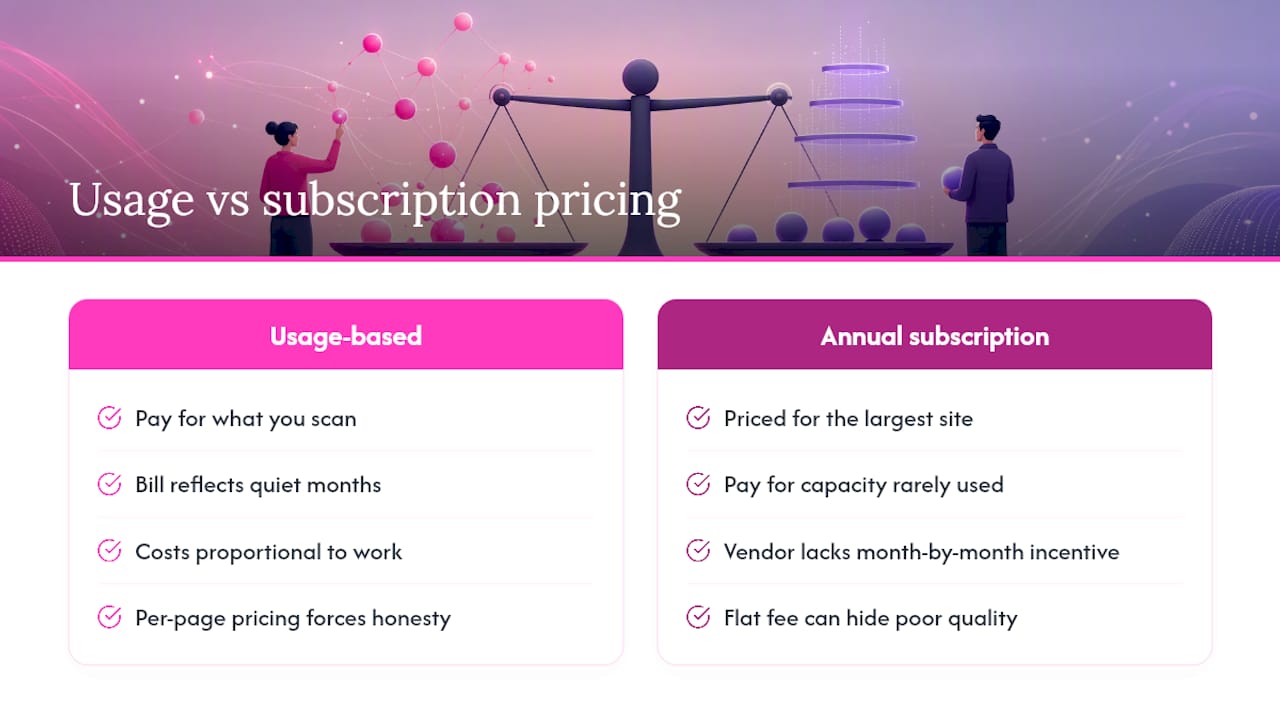
Most website quality tools are sold on annual subscriptions priced for the largest site you might ever have. You pay for capacity you rarely use, and the vendor has little incentive to prove value month by month.
Usage-based pricing flips that dynamic. You pay for what you scan. If your site is quiet for a month, your bill reflects that. If you launch a new section and need three scans in a week, you pay for three scans. The cost is always proportional to the work done, which makes it far easier to justify in a budget conversation.
There is a subtler point worth making. Transparent per-page pricing forces vendors to be honest about what a scan actually does. A tool that charges per page cannot hide behind a flat monthly fee when the scan quality is poor; every page has to earn its cost. That accountability is good for buyers.
The one caveat: usage-based models require you to track your own consumption. Set a monthly credit budget, review your scan logs, and treat the audit trail as a working document rather than an archive. Teams that do this consistently get the most from automated proofreading, because they can see exactly where errors cluster and fix the root cause rather than the symptom.
Websitespellchecker: scan your site for less than the cost of a coffee
Errors on your website cost more than a scan to fix them. A single typo on a product page or a grammar slip in a case study can undermine months of credibility-building. Websitespellchecker gives you instant, site-wide proofreading at a transparent pay-per-page rate, with no annual lock-in and no guesswork about what you will pay.

The free trial includes enough credits to scan a real section of your site and download a PDF report you can share with your team or a client. You will see exactly which pages have errors, what those errors are, and how the per-page cost scales to your full site. Business owners and developers and agencies each have a dedicated feature set, so the tool fits whether you manage one site or fifty. Check the available packages and start your free trial today.
Useful sources
The following sources informed this guide and are worth reading directly if you are in procurement or technical evaluation.
- Introducing pay per crawl
- AI-assisted proofreading: a practical workflow
- AI SEO Audit: The Beginners Guide for UK Businesses
- SEO Audit Checklist: 75+ Checks for UK | Whitehat
- AI-Driven Technical SEO Audits & Predictive Diagnostics 2026
- the website spellchecker app