Silktide Chrome extension: your accessibility testing guide

The Silktide Chrome extension is a browser-based accessibility checker that tests webpages against over 200 WCAG checks, covering standards 2.0, 2.1, and 2.2, as well as ADA compliance. It sits in your browser toolbar and gives you instant, highlighted results directly on the page you are viewing, with step-by-step guidance on how to fix each issue it finds. For UK web teams working under the Public Sector Bodies Accessibility Regulations or advising clients on WCAG compliance, it is one of the most practical starting points available.
Here is what the extension covers at a glance:
- Automated WCAG 2.0, 2.1, and 2.2 compliance checks
- Screen reader simulator for real-world audio testing
- Visual and functional disability simulations
- Colour contrast checking with a built-in colour picker
- Alt text analysis for images across the page
- Step-by-step remediation guidance for every issue found
What accessibility testing does the Silktide extension cover?
The extension’s depth goes well beyond a basic flag-and-list approach. When you run a test, Silktide highlights accessibility concerns directly on the page, so you can see exactly which element is causing the problem rather than hunting through a report.
Key testing capabilities include:
- WCAG 2.0, 2.1, and 2.2 checks, plus ADA standards, covering the full range most UK public sector and commercial sites need to meet
- Screen reader simulator that lets you listen to your webpage as a visually impaired user would hear it
- Colour contrast checker with a user-friendly colour picker tool to spot errors on any element
- Alt text audit showing which images have alt text, which are missing it, and which are correctly marked as decorative
- Disability simulations that replicate how users with visual impairments experience your site
What sets Silktide apart from many browser tools is the educational layer. Rather than simply flagging a failure, it provides clear, step-by-step guidance on how to resolve each issue, which means junior developers and accessibility newcomers can act on results without needing a specialist to interpret them.
Pro Tip: Run the screen reader simulator on your homepage navigation first. Navigation failures are among the most common WCAG issues and the most disorienting for screen reader users.
Silktide supports WCAG up to version 2.2, which aligns with the current UK government guidance for public sector websites and the expectations of the Equality Act 2010 for commercial sites.
How does the Silktide extension support SEO and user experience?
Accessibility and SEO share more common ground than most teams realise. When Silktide flags a missing alt text or a poorly structured heading hierarchy, it is identifying a problem that affects both screen reader users and search engine crawlers simultaneously.
The extension surfaces several user experience barriers that also carry SEO weight:
- Heading structure issues that disrupt both navigation and page indexing
- Missing or inadequate link text that confuses assistive technologies and weakens anchor relevance
- Readability and content clarity problems that reduce time on page
- Image alt text gaps that cost you image search visibility as well as accessibility compliance
For UK website managers running sites on behalf of clients, this dual benefit is genuinely useful. A single Silktide scan can feed into both an accessibility audit and a basic website performance analysis, giving you a more complete picture of a page’s health in one pass. The extension does not replace a dedicated SEO platform, but it catches the accessibility-driven SEO issues that many pure SEO tools miss entirely.
Analytics, reporting, and data privacy in the Silktide extension

Silktide’s analytics and reporting features let you track issues found over time and monitor accessibility compliance as your site evolves. For teams managing multiple sites or reporting to stakeholders, this history is practical: you can demonstrate progress rather than just presenting a snapshot.
| Feature | Detail |
|---|---|
| Issue tracking | View and track accessibility issues found per page |
| Compliance history | Monitor WCAG compliance progress over time |
| Data collection scope | Data gathered only when you actively test a page |
| Browsing privacy | No data collected during normal browsing outside testing |
| Permission prompt | “Block content on any page” required for overlay injection only |
The permissions question is worth addressing directly. When you install or update the extension, your browser displays a warning that it can “Block content on any page.” This sounds alarming, but it is a standard browser security requirement. The extension needs this permission to inject its accessibility highlight overlays into the page you are testing. It does not alter your live website, and it does not collect data about sites you visit during normal browsing.
Silktide only gathers information when you specifically choose to test a page, or if that page is already within your Silktide account. For UK teams handling sensitive or intranet pages, that distinction matters.
How to install and use the Silktide Chrome extension
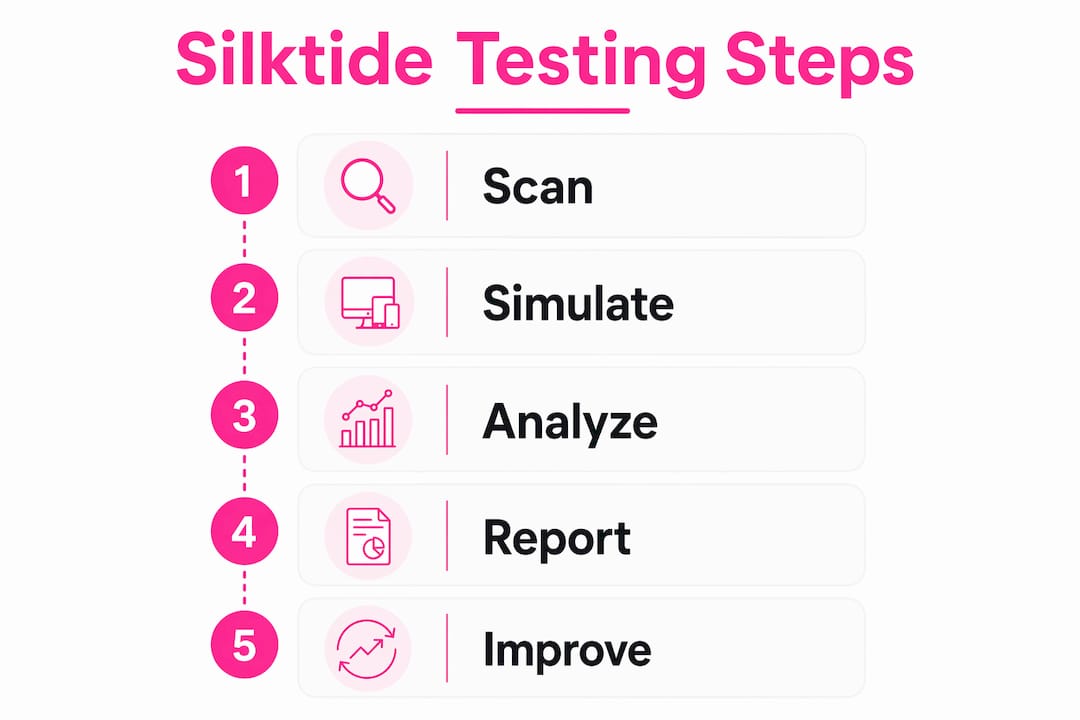
Getting started takes under two minutes. Here is the full process:
- Open the Chrome Web Store and search for “Silktide Accessibility Checker,” or go directly to the extension listing.
- Click “Add to Chrome” to install. For Microsoft Edge, visit the Edge Add-ons store and select “Get” instead.
- Accept the permissions prompt. The “Block content on any page” warning is expected and necessary for the overlay features to work.
- Pin the extension icon to your browser toolbar so it is always one click away when you land on a page you want to test.
- Navigate to any webpage you want to audit, then click the Silktide icon in your toolbar.
- Review the highlighted results directly on the page. Each flagged element is marked visually, with a description of the issue and the relevant WCAG criterion.
- Follow the step-by-step fix guidance provided for each issue. You can work through them in order of severity or by category.
- Re-run the test after making changes to confirm the issues are resolved before moving to the next page.
Pro Tip: Integrate Silktide scans into your pre-launch checklist. Running it on every key template before a site goes live catches systemic issues early, rather than page by page after launch.
For teams already using the full Silktide platform, the extension connects to your account and surfaces additional context from your existing scans. For everyone else, it works as a fully standalone tool with no account required. You can also use it alongside workflow tools for developers and agencies that handle other quality checks, such as spelling and grammar, to cover more ground in a single review pass.
How does the Silktide extension compare with other accessibility tools?
The Silktide extension’s strongest differentiator is its educational approach. Most browser-based accessibility checkers tell you what is wrong. Silktide tells you what is wrong and how to fix it, with plain-language explanations that do not assume deep WCAG expertise. That makes it genuinely useful for developers who are new to accessibility, not just specialists.
Where the comparison gets nuanced:
- Local DOM analysis tools (such as WAVE) run entirely within your browser and send no data to external servers, offering 100% private accessibility reporting. If you are testing password-protected pages or sensitive internal systems, that privacy model has a clear advantage.
- Silktide’s approach involves sending page data to its servers when you run a test, which enables richer reporting and account-linked history but means it is less suited to highly confidential environments.
- Developer-focused tools that integrate with browser DevTools panels offer deeper code-level inspection, which suits teams who want to catch issues during build rather than after deployment.
Known limitations of the Silktide extension are worth keeping in mind. The screen reader simulator has documented constraints and does not replicate the full behaviour of dedicated screen readers such as NVDA or JAWS. It is a useful approximation for quick checks, not a substitute for testing with real assistive technology. The extension also focuses on page-level testing, so it does not replace a full site audit for large or complex websites.
Support and updates come through the Chrome Web Store and Edge Add-ons store, with the Silktide Help Centre providing documentation on known limitations and feature differences between the free extension and the paid platform. The extension currently has a substantial user base and holds a high rating on the Chrome Web Store.

Key takeaways
The Silktide Chrome extension is the most practical starting point for WCAG 2.2 compliance testing in a browser, combining automated checks with plain-language fix guidance that works for teams at any accessibility experience level.
| Point | Details |
|---|---|
| WCAG coverage | Tests against over 200 checks covering WCAG 2.0, 2.1, and 2.2, plus ADA standards. |
| Educational guidance | Provides step-by-step fix instructions for every issue, not just a list of failures. |
| Privacy model | Data is only collected when you actively test a page, not during normal browsing. |
| Installation | Available free from the Chrome Web Store and Microsoft Edge Add-ons store. |
| Best use case | Ideal for page-level audits and pre-launch reviews; pair with real assistive technology for full testing. |
Accessibility testing is only one part of keeping your website professional and trustworthy. Spelling errors, broken grammar, and inconsistent copy chip away at credibility just as quietly as a missing alt text does. Websitespellchecker scans your entire site with AI, catching spelling mistakes, grammatical errors, and awkward phrasing across every page in one go.

Whether you manage a single site or a portfolio of client sites, Websitespellchecker for developers gives you a fast, reliable quality check that runs alongside your accessibility workflow. No monthly subscription, no manual page-by-page review. Just clear, instant scan results you can act on straight away.