Title case vs sentence case: the difference explained
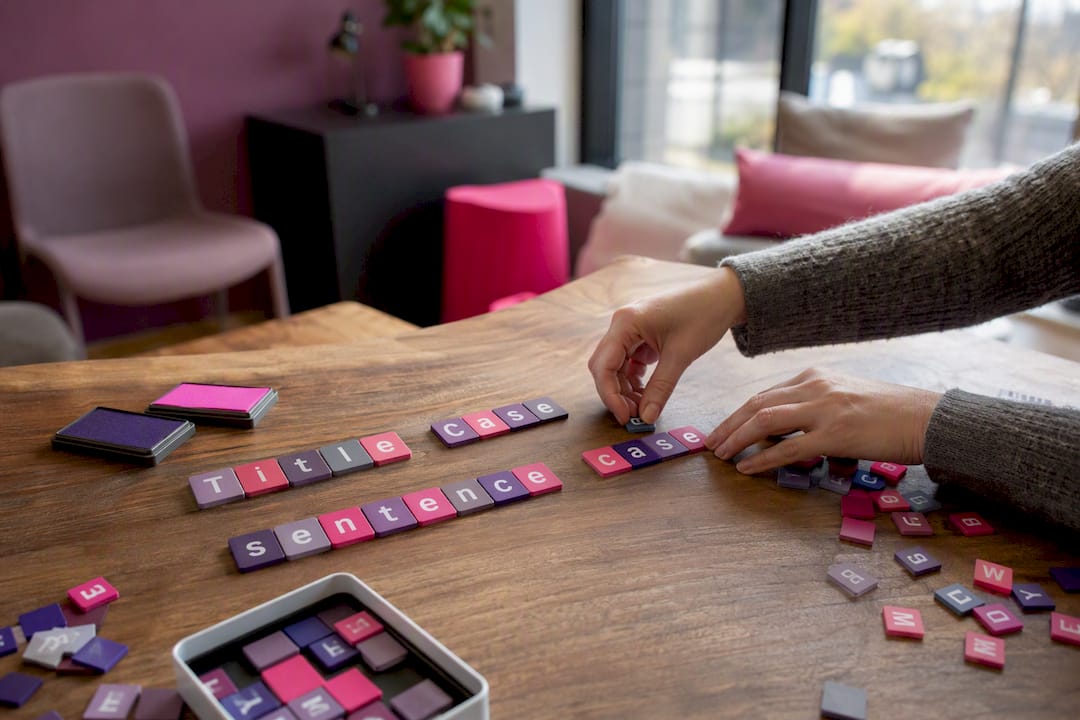
Title case capitalises every major word in a heading. Sentence case capitalises only the first word and proper nouns, exactly as you would write an ordinary sentence. Use title case for formal titles and published works; use sentence case for headlines, UI copy and anything meant to feel conversational.
- Title case: capitalise nouns, verbs, adjectives and most words of four letters or more.
- Sentence case: capitalise the first word and proper nouns only, then stop.
Key Takeaways
Title case capitalises major words for formal titles, while sentence case capitalises only the first word and proper nouns for everyday headings and UI copy.
| Point | Details |
|---|---|
| Definitions differ sharply | Title case capitalises major words; sentence case capitalises only the first word and proper nouns. |
| Style guides disagree | APA, Chicago, AP and MLA each apply different length and part-of-speech rules for title case. |
| Medium drives the choice | Academic titles favour title case; news headlines and UX copy increasingly favour sentence case. |
| Document your exceptions | Record hyphenated compounds, acronyms and branded terms in a house style guide to avoid drift. |
| Automated audits scale consistency | Websitespellchecker flags inconsistent casing across an entire site and tracks fixes over time. |
Table of Contents
- What is title case vs sentence case?
- What are the rules for title case?
- What are the rules for sentence case?
- How do APA, Chicago, AP and MLA differ?
- When should you use title case vs sentence case?
- Title case vs sentence case: side-by-side examples
- How do you convert between title case and sentence case?
- How do you keep casing consistent across an entire website?
- What should you check before publishing a heading?
- What’s the sensible default when your team has no rule yet?
- How does automated scanning catch capitalisation errors at scale?
- Frequently asked questions
- Sources
What is title case vs sentence case?
Title case treats a heading like a name plate. “The Rules of Effective Editorial Writing” capitalises every major word, lowercasing only small connectors like “of” and “the”.
Sentence case treats the same heading like a sentence you’d say aloud: “The rules of effective editorial writing.” Only the first word gets a capital, plus any proper nouns that would naturally take one, such as “Wisconsin” or “Grammarly”.
Both styles are legitimate. The confusion comes from the fact that style guides disagree on the exact mechanics, and most writers have never seen the rules written down in one place.
- Title case: “How to Write a Winning Cover Letter”
- Sentence case: “How to write a winning cover letter”
What are the rules for title case?
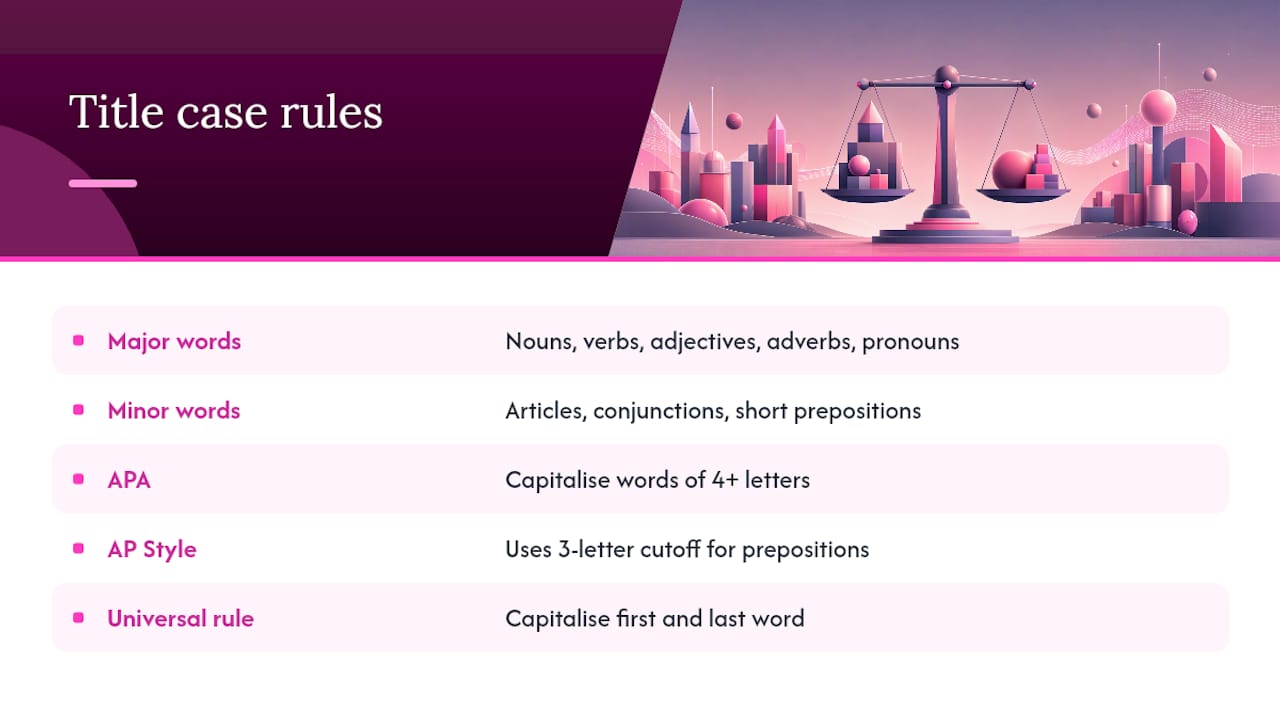
Title case hinges on one distinction: major words versus minor words. Major words, which get capitalised, include nouns, verbs, adjectives, adverbs and pronouns. Minor words, which usually stay lowercase, are articles (“a”, “the”), coordinating conjunctions (“and”, “but”) and short prepositions (“in”, “on”, “of”).
Guides diverge on the details. APA treats any word of four letters or more as major, regardless of part of speech, so “With” and “From” get capitals even though they’re prepositions. AP Style uses a stricter three-letter cutoff for prepositions. Most guides agree on one universal rule: always capitalise the first and last word of the title, no matter how short.
Hyphenated compounds cause the most disputes. In “Self-Aware,” most guides capitalise the second element too, but the exact rule varies by manual, so check yours before assuming.
Pro Tip: Pick one title case variant, write it into your house style document with three worked examples, and never let two writers on the same team apply different rules to the same publication.
What are the rules for sentence case?
Sentence case is simpler to apply but easy to get sloppy with. Capitalise the first word of the heading, every proper noun, and any acronym exactly as it’s normally styled.
- Capitalise the first word after a colon in a title with a subtitle: “Editing for clarity: A practical guide.”
- Keep acronyms as they should appear: “NASA,” “SEO,” “UK.”
- Leave common nouns lowercase even mid-heading: “Why grammar checkers miss context.”
- Preserve stylised brand forms (iPhone, eBay) rather than forcing standard capitalisation.
The trickiest calls involve product names that don’t follow normal capitalisation logic. When a brand insists on lowercase or unusual capitals, most editors treat that as a proper noun exception rather than breaking their own house rule.
How do APA, Chicago, AP and MLA differ?
The five references editors reach for most often don’t agree with each other, which is exactly why so many teams end up with inconsistent headings across their own site.
| Guide | Rules to apply | When to use | Notable exceptions |
|---|---|---|---|
| APA | Title case in running text; sentence case in reference lists | Academic papers, citations | Sentence case for all reference-list titles, even if the original used title case |
| Chicago | Title case for most headings, with editorial discretion | Books, journals, formal publishing | Departures allowed for cover typography and design |
| AP | Title case with a three-letter cutoff for minor words | News headlines, press releases | Shorter prepositions lowercase; longer ones capitalised |
| MLA | Title case for works cited and paper titles | Academic essays, humanities | Similar major/minor logic to Chicago |
| Grammarly (tool) | Applies a general title case algorithm | Quick checks, non-specialist writing | Doesn’t reliably distinguish house-style variants |
If you publish academic work, follow APA or MLA to the letter. If you run a newsroom or blog, AP’s brevity-focused rules or a simple sentence case policy will serve you better than forcing academic conventions onto web copy.
When should you use title case vs sentence case?
Academic bibliographies need whichever case your citation style mandates; body-text references to those same works often shift to title case even when the citation entry uses sentence case, per APA’s own convention. News outlets increasingly default to sentence case for headlines because it’s faster to apply consistently across a fast-moving desk and it sidesteps the awkwardness of capitalising short verbs like “is.”
- Academic titles: follow the citation style exactly (APA, MLA).
- News headlines: sentence case is now common practice across major outlets, a shift documented by editorial commentators as a way to reduce ambiguity with acronyms.
- UX copy and CTAs: sentence case reads as more human. “Get started” beats “Get Started” on most buttons.
- Book and journal titles: title case remains the convention for cover and spine text.
- Marketing headings: choose based on brand voice, then apply it everywhere without exception.
Title case vs sentence case: side-by-side examples
Seeing the same heading rendered both ways makes the pattern click faster than any rule list.
- “10 Tips for Better Email Subject Lines” / “10 tips for better email subject lines”
- “Why Your Website Needs a Style Guide” / “Why your website needs a style guide”
- “The Ultimate Guide to Remote Work” / “The ultimate guide to remote work”
Watch for three recurring traps. Hyphenated compounds (“Long-Term” vs “Long-term”) need a documented rule, not a guess. Acronyms should never be forced into title case logic; “SEO” stays “SEO” in both styles. And branded stylisations like “eBay” or “iPhone” override whichever case system you’re using, because they’re proper nouns first.
How do you convert between title case and sentence case?
Manual conversion works fine for one heading. Microsoft Word offers a built-in case toggle (Shift+F3 cycles through sentence case, lowercase and uppercase), and Google Docs has a similar Format > Text > Capitalisation menu.
For bulk work, online converters and writing tools like Grammarly can reformat text quickly, but they don’t always know your house rules for prepositions or hyphenated compounds, so a manual proofread afterwards is worth the two minutes. A dedicated editing tool such as FinalDraft can also speed up repetitive reformatting across long documents. Reserve manual passes for anything with brand names, acronyms or subtitles, where automated tools most often get it wrong.
How do you keep casing consistent across an entire website?
One writer applying title case consistently is easy. Fifty writers across a growing site, each with their own habits, is where casing quietly falls apart.
- Document your chosen variant (which guide, which exceptions) in a single house style page every author can access.
- Run automated scans across the site to catch inconsistent capitalisation before it reaches readers.
- Flag branded terms and legal copy for manual review rather than letting a bulk tool touch them.
- Test heading casing in UX experiments if engagement data is available; casing choices affect click behaviour more than most teams assume.
Pro Tip: Automate the boring 90% of casing checks and manually review only the flagged exceptions. Bulk-fixing branded terms or legal disclaimers without a human check is how consistent style guides accidentally break trademarks.
What should you check before publishing a heading?
- First word capitalised, regardless of which case system you’re using.
- Proper nouns and acronyms styled correctly (not forced into either case logic).
- Hyphenated compounds checked against your documented house rule.
- Subtitle punctuation handled: capitalise the first word after a colon.
- Any style-guide conflict recorded as a named exception, not left to memory.
What’s the sensible default when your team has no rule yet?
Match your primary output. News-style and web content tends to read better in sentence case; book, journal and formal academic titles usually call for title case. Whichever you choose, consistency matters more than which system you pick, and design or brand voice can reasonably override the default when there’s a strong reason to.
How does automated scanning catch capitalisation errors at scale?
Manually auditing capitalisation across hundreds of pages is tedious, error-prone work, and it’s exactly the kind of inconsistency that chips away at how professional your site looks to a first-time visitor.

Websitespellchecker scans an entire website in one pass and flags inconsistent headings alongside spelling and grammar issues, so you catch a mix of title case and sentence case across your blog without opening every page by hand. The AI scanning behind the tool tracks changes over time, which means once you fix a batch of headings, you’ll know instantly if a new page reintroduces the same inconsistency. Reports are downloadable and shareable, so a marketing lead can hand a fix list straight to a writer without a screen-sharing call. If your site has grown past the point where one person can eyeball every heading, start with a free scan for business owners and see exactly where your casing habits have drifted.
Frequently asked questions
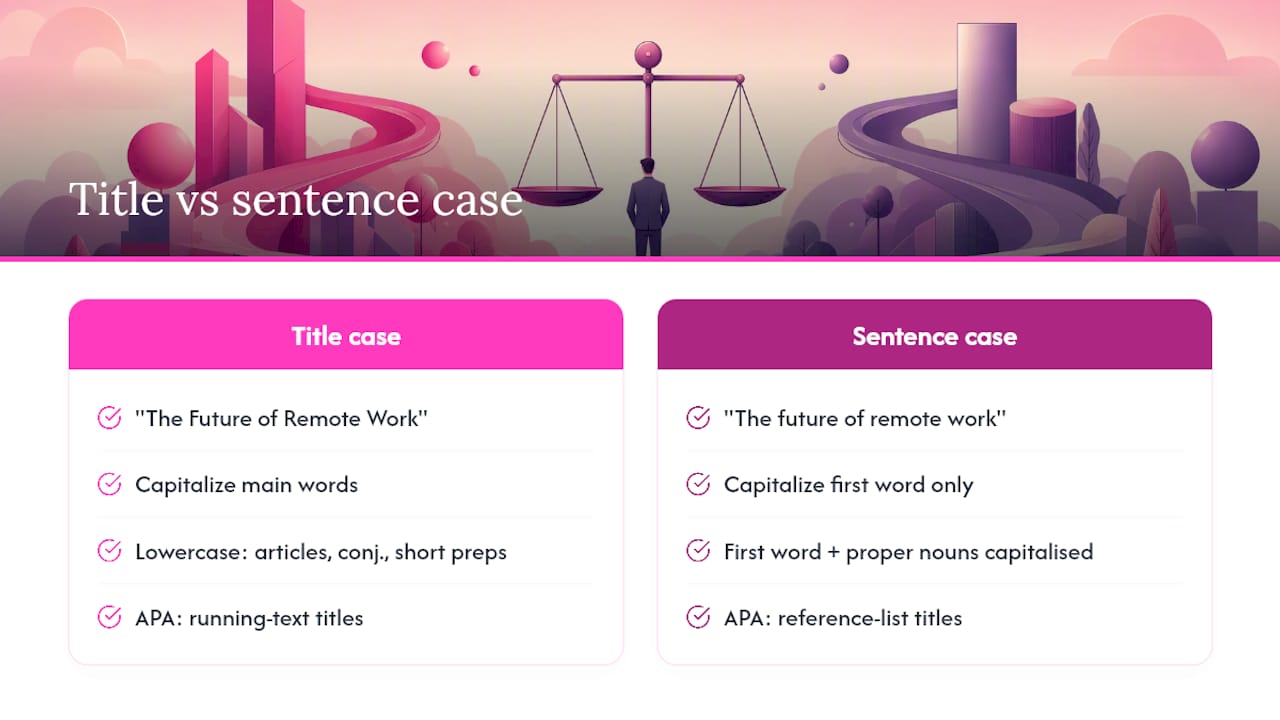
What is an example of title case vs sentence case? “The Future of Remote Work” is title case. “The future of remote work” is sentence case. The only difference is which words after the first one get a capital letter.
Does APA use title case or sentence case? Both, depending on context. APA uses title case for titles mentioned in running text and sentence case for titles in reference-list entries.
Which words are not capitalised in title case? Articles (“a”, “an”, “the”), coordinating conjunctions (“and”, “but”, “or”) and short prepositions (“in”, “on”, “of”) generally stay lowercase, unless they’re the first or last word of the title.
Is sentence case just normal writing? Essentially, yes. Sentence case follows the same capitalisation logic as any ordinary sentence: first word capitalised, proper nouns capitalised, everything else lowercase.
Which style should I use for a blog headline? Sentence case has become the more common choice for blogs and news sites because it’s faster to apply consistently and avoids awkward capitalisation of short verbs and prepositions.