
Free vs Paid Website Spell Checking Tools
We have already established how important accurate spelling is to the success of your website in ‘Five Reasons Why You Need To Spell Correctly On Your Website’. Proofreading is a labour-intensive task though, and it can be difficult to find every error across an entire site.
Fortunately, there are now tools available online that can scan your pages automatically. Some are free and lightweight, while others are paid and more fully featured. In this article, we’ll compare a couple of popular free tools with a modern paid option to help you understand what you gain (and what you give up) at each level.
Editor’s note: WebsiteSpellChecker.com has evolved into a fully automated AI-powered platform that delivers instant results in the dashboard. This article has been updated to reflect the latest functionality.
What to look for in a website spell checker
Before we compare tools, it’s worth understanding the common gaps that make website spell checking harder than document spell checking:
- Scale: checking 10 pages is easy - checking 500 pages is not.
- Context: seeing a word in isolation is less helpful than seeing it on the page.
- Dynamic content: modern sites often render text via JavaScript, CMS blocks, or components.
- Sharing results: you may need to share outcomes with marketing, compliance, or management.
- Repeatability: once fixed, you’ll want to rescan quickly to confirm the changes.
Typosaurus
Typosaurus is one of the most commonly referenced and promoted website spell checkers. Its biggest selling point is its simplicity – there are no settings to adjust, and it consists of a single search bar into which you can enter up to 10 web pages for scanning.
On the surface this seems like a good function, but it can become extremely labour-intensive if you have a site with 50, 100 or even more pages. After hitting the ‘scan’ button, the results are returned quickly and simply. It lists each URL that you entered on a separate line, and each line will display a red box containing the number of errors that have been detected.
Clicking this will then display a list of the possible misspellings that it has found and the suggested corrections next to the highlighted errors. It does not show you where the errors are located on the page you have scanned.
The results were mixed. I found a lot of HTML tags appearing in the results along with jargon words that are perfectly valid and not mistakes at all. As there is no reference to where the error occurs on the page, having to rely on search and replace could still result in mistakes being overlooked during the updating of the page.
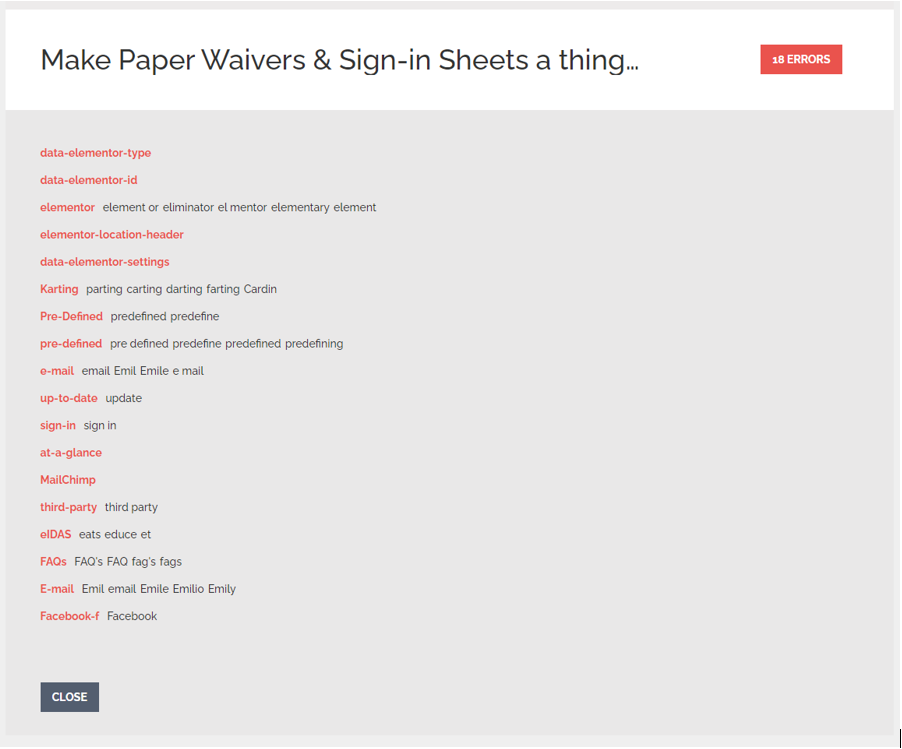
All results are returned according to American English, and there is no setting to change the region. Although there is a link for a Chrome extension on the landing page, I was not able to test its functionality because it would not download for me (and I tried on multiple browsers). There may be more options available if using this extension, but unfortunately, I cannot confirm this.
Internet Marketing Ninjas (Free)
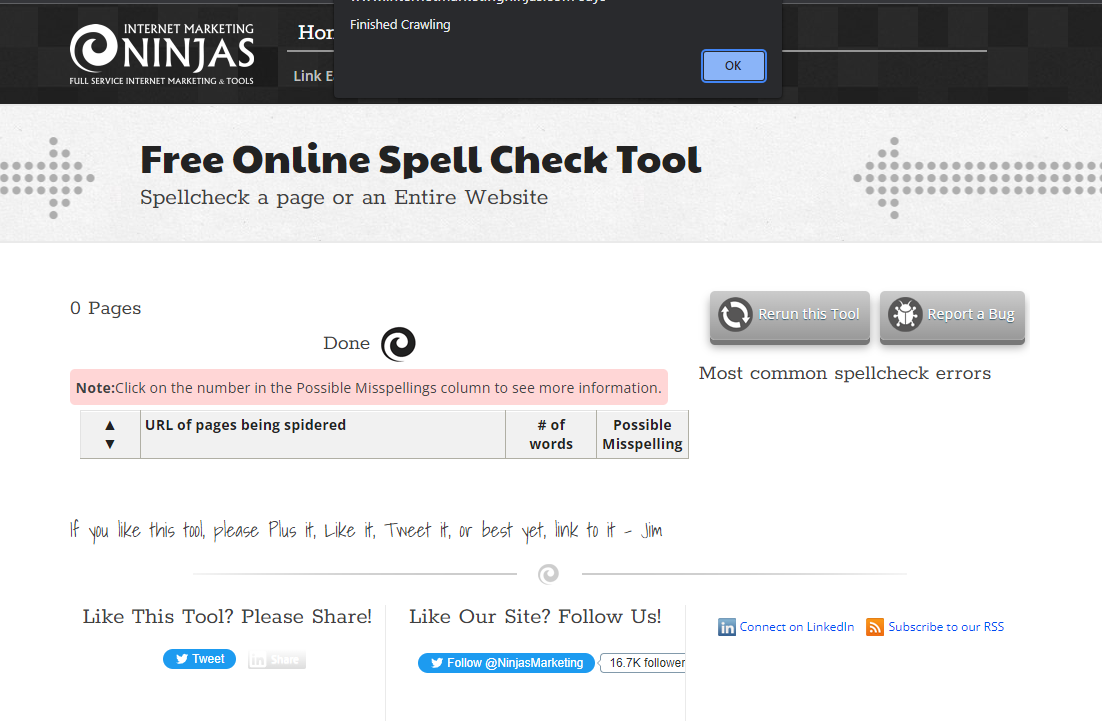
This Spell Check Tool is another free and simple to use web-based application that allows you to choose between entering your URL into a search bar, pasting the text you want to check, or uploading a document for scanning.
The scan results are presented very clearly. If you have chosen to crawl your entire website, it lists the URL of each page that has been scanned and provides you with a ‘Possible Misspellings’ number. Clicking this populates another page showing the relevant scanned text with the possible errors highlighted in red.
This is an improvement over the functionality of Typosaurus, however, as you only get a text representation of your page it’s hard to match up where the mistake is on your site when you have lots of dynamic content which could be hidden from view. This means that, again, you are left with search and replace.
This tool is also limited to American English. It can only be run five times per day by the same user, and it cannot detect errors within words containing capital letters, or words that contain special characters or numbers. As the results are only presented on the website, it’s not really possible to share the results unless you have created multiple PDFs for each page.
WebsiteSpellChecker.com (Paid – AI-Powered Instant Scans)
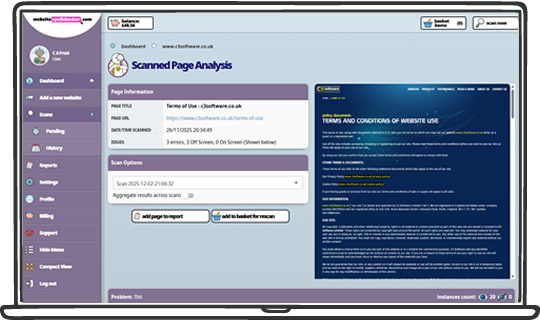
WebsiteSpellChecker.com is a premium paid tool designed for fast, accurate website content checking at scale. Instead of waiting for a manual review and a delayed report, you can add your website, choose what to scan, and view results instantly in the dashboard.
The platform is built for real websites (not just single pages). You can scan a specific page, a directory/section, or your entire site, and you can rerun scans whenever you need - ideal for release days, content updates, or ongoing quality checks.
Results are presented with strong context. Where possible, each issue includes a screenshot highlighting exactly where the error appears on the page. When a screenshot cannot be captured (for example, content that is out of view or difficult to render), the system provides a text excerpt around the word to help you locate it quickly.
The overall aim is to reduce the time between finding an error and fixing it. That means fewer false positives, less manual hunting, and a clearer workflow for teams - from marketing and content writers to developers and compliance reviewers.
If you need to share findings, you can use the dashboard to review results quickly and keep a consistent record of what was scanned and what was found. Crucially, pages with no errors can still be included in the output, removing the “did this page get checked?” doubt.
Free vs Paid: the real difference
Free tools can be helpful for quick spot checks, but they often become frustrating as soon as your site grows or your requirements become more professional. The most common limitations are:
- limits on the number of pages or scans per day
- limited language / region support
- results without on-page context (meaning more manual searching)
- poor sharing and reporting options
- difficulty with JavaScript-rendered or dynamic content
A paid tool is usually worth it when you need speed, repeatability, and confidence - especially if the website represents your brand, generates enquiries, or supports customers in regulated or high-trust industries.
Final Impressions
Like most things, it comes down to personal preferences and needs. Free tools cost nothing, but they can be labour-intensive, time consuming, and difficult to share. For quick checks they can be useful, but they often lack reliability and context.
For the price of a quick lunch, a paid website spell checker gives you a more complete workflow: scan more pages, get clearer results, and fix issues faster. Modern AI-powered tools also remove the delays that older “service style” models introduced - you stay in control, and you get answers immediately.
If you want to see how an instant scan works in practice, you can try WebsiteSpellChecker.com and run a scan on your own site.

Scott Duncan is a freelance writer who enjoys creating content of all varieties, whether it be technical articles, product descriptions and reviews, blog posts, creative writing and more. He has a degree in Sociology, and after graduating from university, worked in Japan for 10 years as an English instructor. Following that, he worked in the law courts in a variety of roles, the bulk of which was with the transcripts team. He loves Japan, basketball, music and gaming (including a long-running obsession with the Destiny franchise).