Website Audit Report Template: A 2026 Guide for Marketers

A website audit report template is a structured framework that organizes technical SEO, performance, user experience, and content quality checks into a prioritized report that drives measurable improvements. The industry term for this process is a site audit, and the template is the document that makes your findings repeatable, shareable, and actionable. Most small business owners and marketing professionals run audits reactively, after traffic drops or a redesign. The smarter approach is a standing template that covers every critical checkpoint before problems compound. A well-built audit report format covers 130–200+ specific checkpoints across eight categories, including technical SEO, performance, and accessibility.
What key components should a website audit report template include?
A complete website audit report template covers eight core categories. Each category maps to a distinct set of checkpoints that, together, give you a full picture of your site’s health.
| Category | What it evaluates |
|---|---|
| Technical SEO | Crawlability, indexation, XML sitemaps, robots.txt, canonical tags |
| Performance | Core Web Vitals, page speed, server response time, image compression |
| On-page SEO | Title tags, meta descriptions, header structure, keyword placement |
| Content quality | E-E-A-T signals, readability, duplicate content, freshness |
| User experience | Navigation, mobile usability, accessibility (WCAG standards), layout |
| Conversion | CTA placement, form functionality, trust signals, checkout flow |
| Backlinks | Domain authority, toxic link profile, anchor text distribution |
| AI readiness | Schema markup, structured data, featured snippet eligibility |
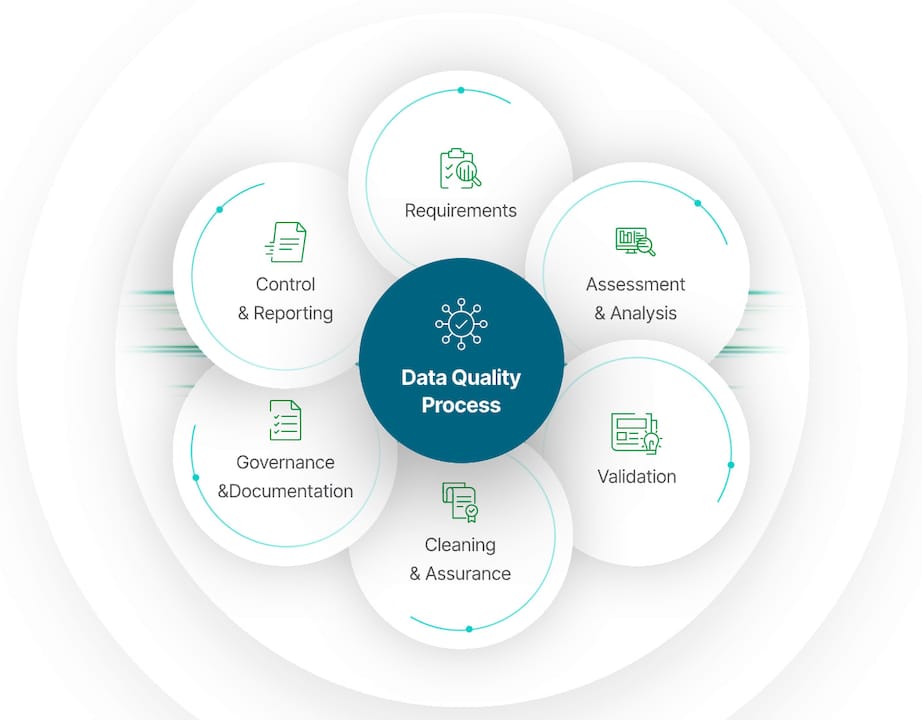
A comprehensive SEO audit should include 130–200+ specific checkpoints across these eight categories. Most websites score between 50 and 75 on a 100-point scale using standard audit frameworks. That range tells you most sites have significant room for improvement, even ones that look polished on the surface.
Each category needs a clear verdict, not just a list of issues. A good template records the current state, the expected standard, and the recommended fix for every checkpoint. Without that structure, your report becomes a data dump that confuses teams instead of motivating them.
Key checkpoints to include in your template:
-
Crawlability: Are all important pages accessible to search engine bots? Check robots.txt, noindex tags, and internal link depth.
-
Core Web Vitals: Largest Contentful Paint (LCP), Cumulative Layout Shift (CLS), and Interaction to Next Paint (INP) are Google’s primary performance signals.
-
Metadata: Every page needs a unique title tag (50–60 characters) and meta description (150–160 characters).
-
Content E-E-A-T: Google’s framework for Experience, Expertise, Authoritativeness, and Trustworthiness. Author bios, citations, and original research all contribute.
-
Schema markup: Structured data helps search engines and AI tools understand your content, which directly affects AI-driven search results.
-
Spelling and grammar: Errors chip away at trust and signal low content quality to both users and search engines.
A useful audit report offers a clear verdict, representative crawl coverage, and a prioritized fix path rather than just scores or exhaustive issue lists. Reports lacking clear priorities often confuse instead of motivate action. Build your template around verdicts, not volumes.
How does weighting and scoring improve prioritization?
Weighted scoring is the practice of assigning different importance levels to audit categories based on their real-world impact on traffic, conversions, and user experience. Not every issue deserves equal attention. A broken canonical tag hurts more than a missing alt text on a decorative image.
Audit categories are typically weighted by real-world impact, with performance scoring 25–30%, technical SEO 13–25%, and on-page SEO 13–20%. That distribution reflects where Google’s algorithm places the most weight. A site with slow Core Web Vitals will underperform in rankings regardless of how well its content is written.
Your template should aggregate individual category scores into a single overall health score on a 0–100 scale. That number gives executives a quick read on site health and gives your team a baseline to measure progress against. A score below 50 signals urgent remediation. A score between 50 and 75 indicates a functional but underperforming site. A score above 75 means you are maintaining quality and can focus on incremental gains.
For issue-level prioritization, use a P0–P3 labeling system:
-
P0: Critical. Blocks crawling or indexation. Fix within 24 hours.
-
P1: High impact. Hurts rankings or conversions. Fix within one week.
-
P2: Medium impact. Affects user experience. Fix within one month.
-
P3: Low impact. Minor improvements. Address in the next quarterly cycle.
An impact-versus-effort matrix adds another layer. Place each issue on a 2x2 grid: high impact and low effort issues go first. High impact and high effort issues get scheduled. Low impact issues get deprioritized or dropped entirely.
Pro Tip: Use a simple 0–3 scoring scale for individual checkpoints: 0 means the issue is critical and unaddressed, 1 means partially addressed, 2 means addressed with minor gaps, and 3 means fully resolved. This scale is easy for non-technical stakeholders to read at a glance.
Automated audit tools generate quick site snapshots but lack the deep, site-wide analysis that manual audit templates provide. Automated tools deliver preliminary reports in under 90 seconds. Manual templates often require 4–8 hours but surface architectural issues that automated scans miss entirely. The best approach combines both: use automated tools for speed, and use your weighted template for depth.
What are the best practices for presenting audit results?
Audit results fail when they are presented the same way to every audience. A developer and a CEO need fundamentally different views of the same data. Successful audit templates provide multi-view reporting: executive summaries for leadership, category breakdowns for marketing, and ticket-ready fixes for developers. This approach increases stakeholder buy-in and speeds implementation.
Here is how to structure each view:
-
Executive summary: One page maximum. Include the overall health score, the top three critical issues, and the projected business impact of fixing them. Use plain language. Avoid technical acronyms.
-
Marketing team view: Focus on content quality, user experience, and conversion checkpoints. Highlight copy errors, broken CTAs, and pages with high bounce rates. This is where a marketing professionals audit view pays off most.
-
Developer view: Provide ticket-ready issue descriptions with exact URLs, error codes, recommended fixes, and severity ratings. Developers need specifics, not summaries.
Pro Tip: Add a “toggle” feature to your template using spreadsheet tabs or a reporting tool that lets each stakeholder switch between the high-level summary and the granular detail view. This prevents information overload while keeping all data accessible.
Plain-language explanations matter more than most auditors realize. A finding that reads “LCP exceeds 4.0 seconds on mobile” means little to a business owner. Rewrite it as “Your main product page takes over 4 seconds to load on a phone, which causes most mobile visitors to leave before seeing your offer.” That framing drives action. Technical accuracy and plain language are not mutually exclusive. Your template should require both.
How to customize and use a website audit report template effectively
Customizing your template starts with defining scope. A 10-page brochure site needs a different audit than a 500-page e-commerce catalog. Set your crawl parameters to reflect the pages that actually drive business outcomes, not every URL on the domain.
Normalizing audit data from tools like Screaming Frog and Google Search Console into a standardized format saves hours and supports comprehensive analysis. Standardized CSV exports enable clean import into a master audit workbook. Build your template to accept data from multiple sources in a consistent column structure so you are not reformatting data manually every time.
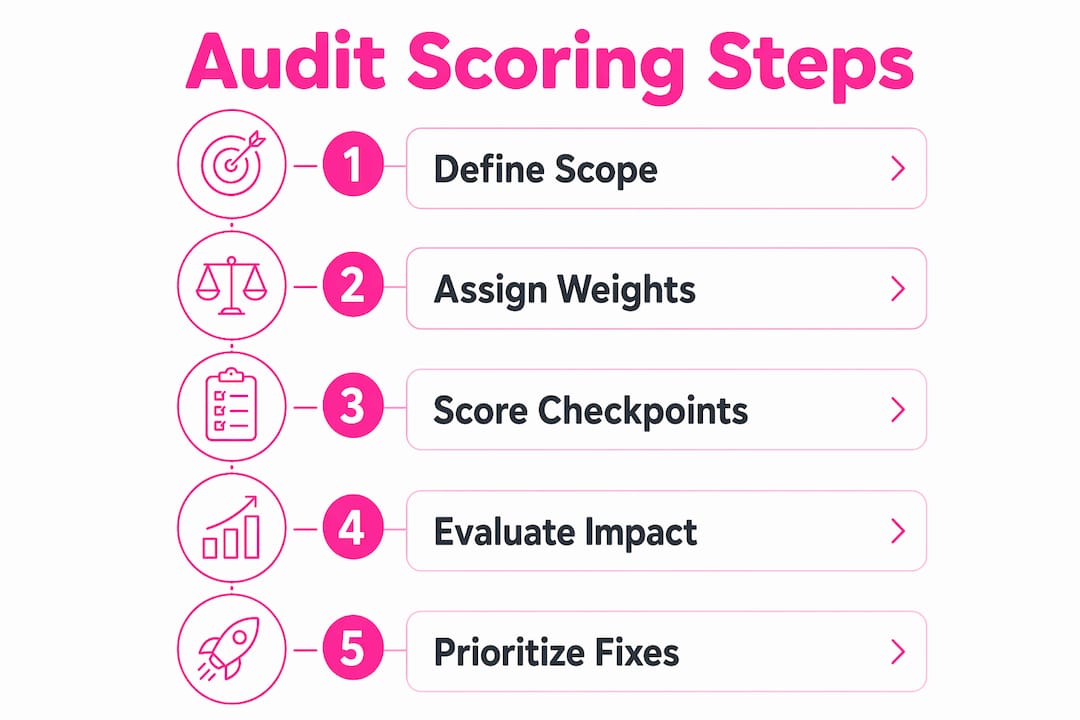
Follow these steps to put your template to work:
-
Define your audit scope. List the page types you will audit: homepage, category pages, product pages, blog posts, and landing pages. Assign a sample size for large sites.
-
Run your automated scan first. Pull data from Google Search Console, Google PageSpeed Insights, and a crawl tool. Import results into your master workbook.
-
Complete the manual review layer. Check E-E-A-T signals, content quality, and user experience elements that automated tools cannot assess reliably.
-
Apply your weighted scoring. Score each category and calculate the overall health score. Flag P0 and P1 issues immediately.
-
Build the fix roadmap. Use your impact-versus-effort matrix to sequence fixes. Assign owners and deadlines for each item.
-
Add AI visibility checks. AI-driven search presence affects 44% of queries. Templates that omit E-E-A-T and schema markup miss a growing share of search visibility.
Pro Tip: Schedule a quarterly audit cycle rather than running audits only after problems appear. Sites that audit regularly catch crawl errors, broken links, and content decay before they affect rankings.
A common mistake is letting the audit report grow so large that no one acts on it. Limit your master report to the top 20–30 findings per audit cycle. Document the full issue list separately for reference, but keep the working report focused on what your team will actually fix in the next 90 days.
Key Takeaways
A complete website audit report template combines weighted scoring, multi-view reporting, and a prioritized fix roadmap to turn raw site data into measurable improvements.
| Point | Details |
|---|---|
| Cover eight core categories | Include technical SEO, performance, content, UX, conversion, backlinks, and AI readiness in every audit. |
| Use weighted scoring | Assign performance 25–30% weight and technical SEO 13–25% to focus effort where it matters most. |
| Build multi-view reports | Create separate views for executives, marketing teams, and developers to drive faster action. |
| Prioritize with P0–P3 labels | Tag every issue by severity so teams fix critical problems first and avoid analysis paralysis. |
| Audit on a quarterly cycle | Regular audits catch content decay, crawl errors, and new technical issues before they compound. |
Why most audit reports collect dust (and how to fix that)
The uncomfortable truth about website audits is that most of them never get acted on. Teams spend hours generating reports, then file them away because the findings feel too large, too technical, or too disconnected from business goals. I have seen this pattern repeatedly, and the root cause is almost always the same: the report was built to document problems, not to drive decisions.
The fix is treating your audit as a prioritized action plan, not a snapshot. Every finding needs an owner, a deadline, and a plain-language explanation of what happens if it goes unaddressed. When a developer sees “fix broken canonical tags” with no context, it competes with every other ticket in the backlog. When they see “fix broken canonical tags on 12 product pages, currently causing duplicate content that splits ranking signals,” it gets scheduled.
The other shift worth making is treating your audit report as a living document. Search algorithms change. AI-driven results now surface content differently than traditional blue-link results. A template built in 2023 that ignores E-E-A-T and schema markup is already outdated. Build in a review step every quarter where you update your checklist to reflect current ranking factors.
Cross-functional involvement also matters more than most guides acknowledge. Your best audit insights often come from the customer service team, who hear what confuses visitors, or from the sales team, who know which pages fail to convert. Pull those perspectives into your template before you finalize your findings.
— Websitespellchecker
How Websitespellchecker fits into your audit workflow
A thorough site audit uncovers technical and structural issues, but content quality errors are just as damaging to trust and rankings. Spelling mistakes and grammar errors chip away at credibility and signal low-quality content to search engines.
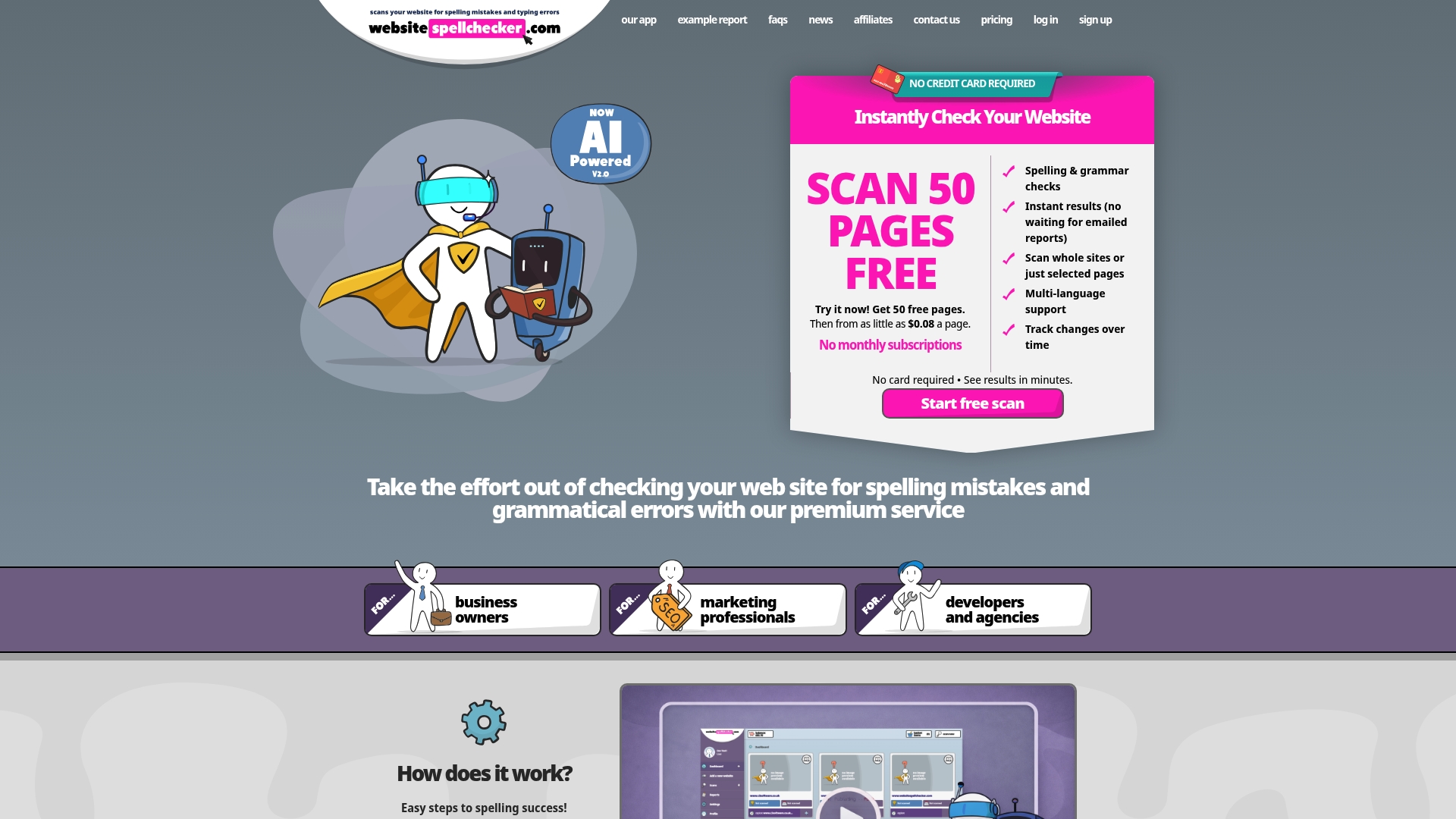
Websitespellchecker scans your entire site with AI-powered technology, catching errors across hundreds of pages in one pass. For business owners who need fast, reliable results without a dedicated content team, it delivers instant reports that fit directly into your audit workflow. The platform tracks changes over time, so you can verify that fixes stick and catch new errors before they go live. Pair it with your weighted audit template to cover both technical health and content quality in a single review cycle. Explore the full range of available packages to find the right fit for your site size and audit frequency.
FAQ
What is a website audit report template?
A website audit report template is a structured document that organizes site evaluation checkpoints across technical SEO, performance, content, and user experience into a scored, prioritized report. It gives teams a repeatable process for identifying and fixing site issues.
How many checkpoints should a website audit include?
A comprehensive audit should cover 130–200+ checkpoints across eight categories, including technical SEO, performance, and accessibility. Most sites score between 50 and 75 on a 100-point scale using standard frameworks.
How often should you run a website audit?
Run a full audit at least once per quarter. Schedule additional audits after major site changes, redesigns, or significant traffic drops to catch new issues before they compound.
What is the difference between an automated audit and a manual audit template?
Automated tools deliver preliminary reports in under 90 seconds but miss deep architectural issues. Manual audit templates require 4–8 hours and surface problems that automated scans cannot detect, making the two approaches complementary rather than interchangeable.
Why should an audit template include AI visibility checks?
AI-driven search presence now affects 44% of queries. Templates that skip E-E-A-T signals and schema markup miss a growing share of search visibility that traditional SEO checklists do not account for.